
Order printing
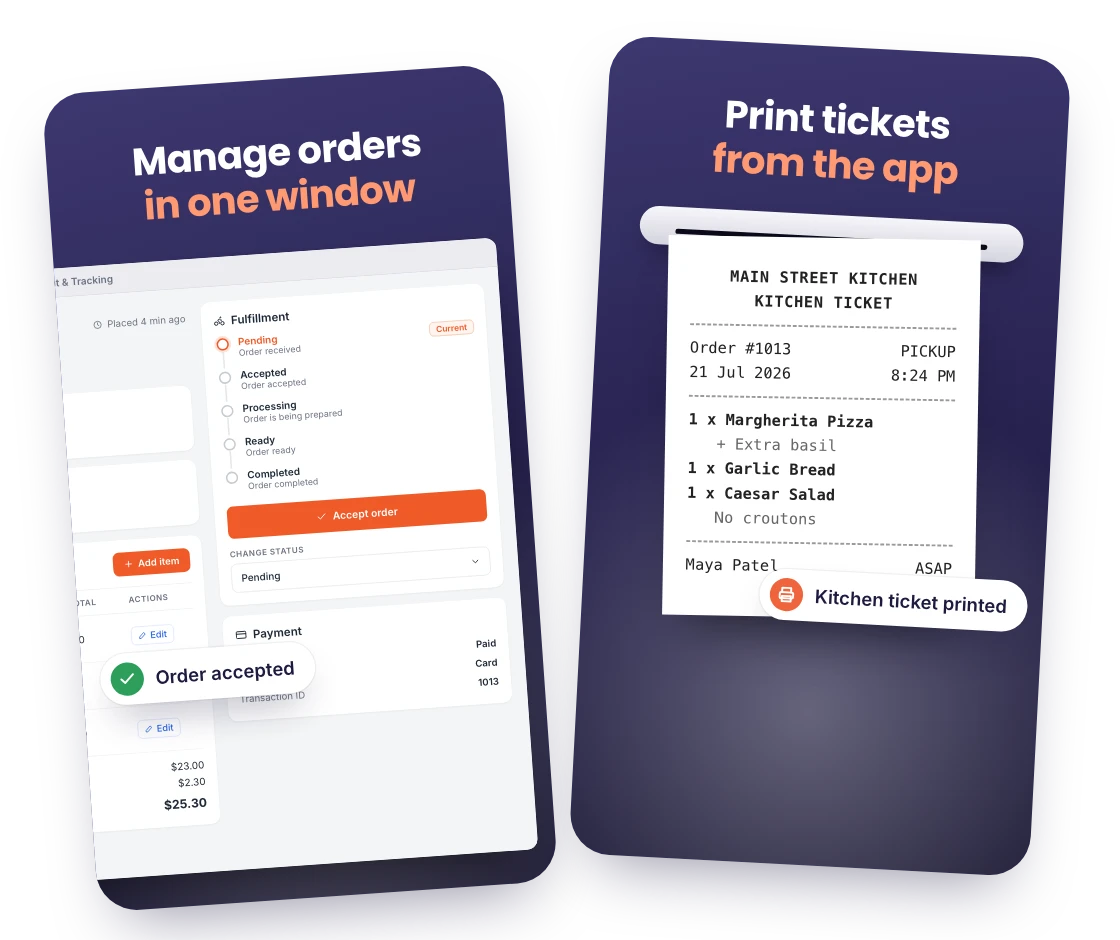
Print kitchen tickets and order summaries directly from the desktop app, with your store logo, footer text and closing line set in the extension settings.

Run your orders from the computer at reception or the back office. The Print and Tracking Desktop App for Windows and Mac receives every RestroPress order, prints the ticket and tracks its status without a browser tab.
Only need this one? Buy it on its own from $119 / year
FOR YOUR ORDER STATION
Print kitchen tickets and order summaries directly from the desktop app, with your store logo, footer text and closing line set in the extension settings.
Native builds for both, installed from your account downloads, so the PC at the counter or the Mac at the bar can be your order station.
View, accept, update and cancel all orders without opening the WordPress admin: items, notes, customer details, service type and time, payment status.
A sound and alert the moment an order is placed, with optional alerts on every status change, so the station never misses an order during a rush.
Mark items or categories unavailable during service and update stock quantities when the Inventory extension is active.
Sign in with a WordPress Administrator or Shop Manager account over your site’s API; the app does not store orders of its own.
READY FOR SERVICE
You need a RestroPress website with the Order Tracking extension active (the Print & Tracking license, included in Professional, Business and Agency), a Windows or Mac computer, a WordPress Administrator or Shop Manager login and, for tickets, a receipt printer the computer can reach.
Get setup guidanceActivate the Order Tracking extension on your RestroPress website and open RestroPress > Order Tracking to run the Getting Started checks for HTTPS, your manager account and the license.
Download the Windows or Mac installer from your account, install it on the order station and sign in with your WordPress Administrator or Shop Manager account.
Connect your printer, set the store logo and footer under Printing Contents in the extension settings, place a test order and check the alert, the status change and the printed ticket with your team.
THE NEXT STEP
AVAILABLE FOR WINDOWS AND MAC
Requires a RestroPress website with the Order Tracking extension. The Print & Tracking license is included in the Professional, Business and Agency plans, or $19 per month or $119 per year for one site, $49 per month or $189 per year for up to 5 sites and $89 per month or $229 per year for up to 15 sites.
Installers for Windows and Mac are in your account downloads once the license is active.
BUY THIS EXTENSION ONLY
Pay monthly or save with a yearly licence. Pick how many websites you run.
Licence key and download appear in your account right after checkout. Updates and support for this extension alone.
QUESTIONS, ANSWERED
CONNECTED BY RESTROPRESS

FOR EVERY INCOMING ORDER
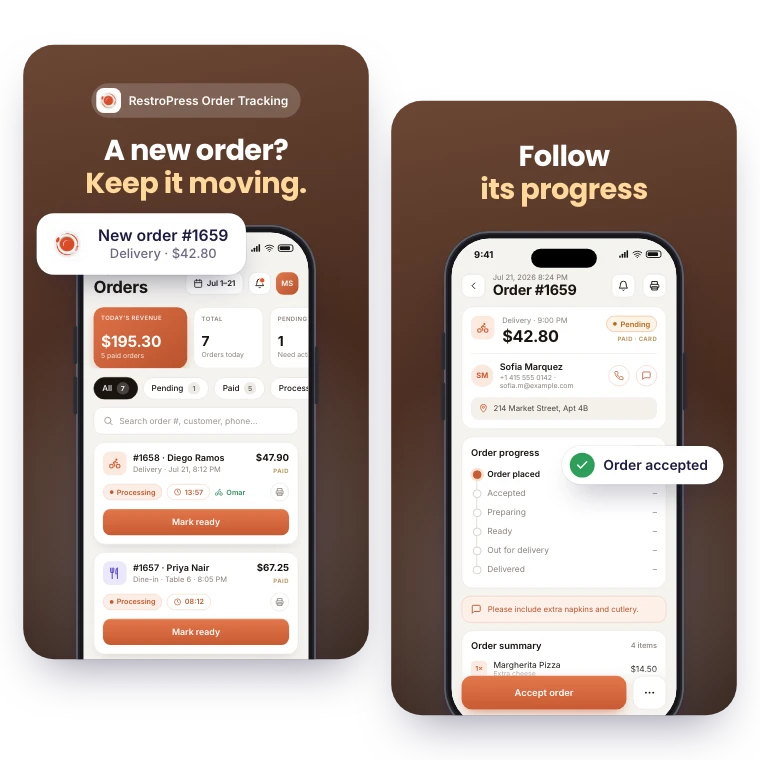
Receive order alerts and see pickup, delivery and dine-in orders together. RestroPress Order Tracking helps your team follow each order’s progress from a phone or tablet.
Explore Order Tracking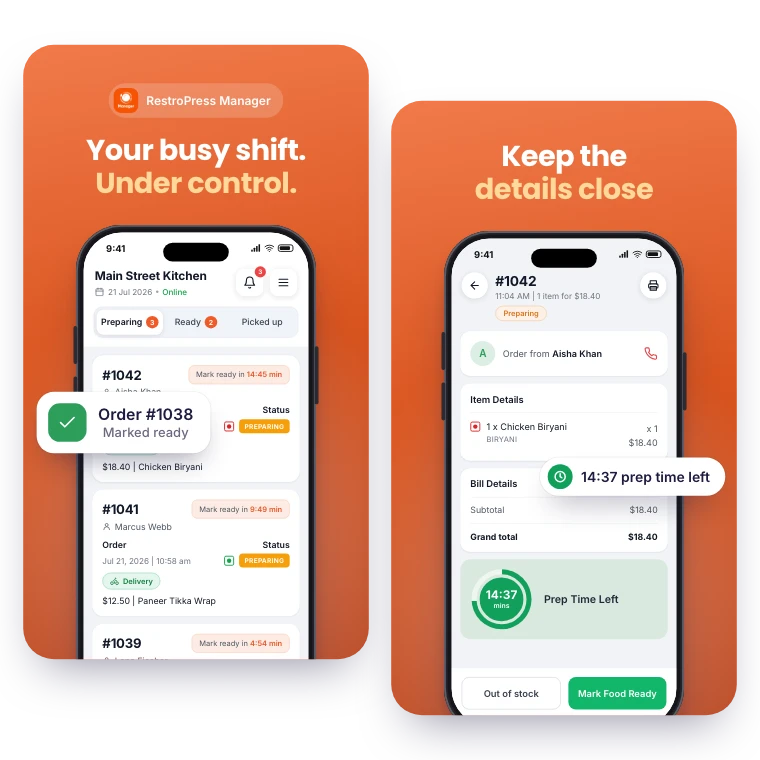
FOR YOUR DAILY OPERATIONS
Keep daily order management within reach. RestroPress Manager brings the order queue, menu editing and a store open or closed switch to your phone.
Explore ManagerYOUR NEXT DIRECT ORDER STARTS HERE
Explore the ordering experience, then choose the tools your team needs.

