
QR Code Dine-In
Ordering for Restaurants

Let guests scan, browse, order, and call a waiter from their table. RestroPress Dine In keeps service fast, contactless, and easier for staff.

How it works

How QR code ordering works

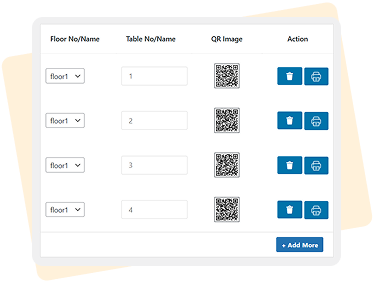
Generate a QR Code
for Each Table


Easily assign unique QR codes per table from the admin dashboard.
01

02

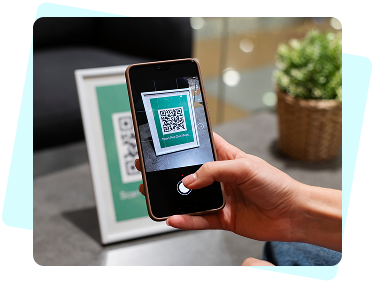
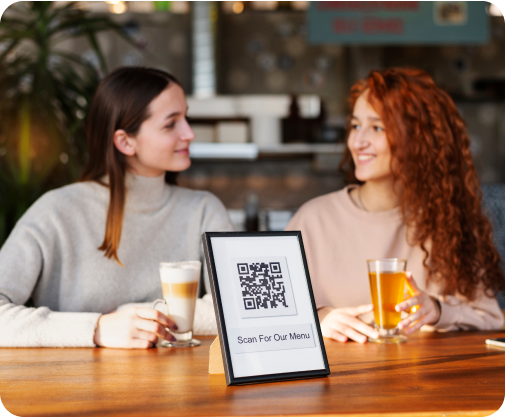
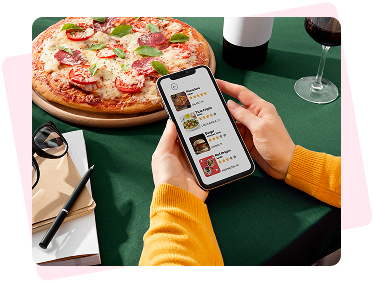
Scan the QR Code

The customer scans the QR code on their
table, which opens the restaurant's menu
on their phone.

Browse & Order

Customers can browse the menu,
select their items, and place their
order when ready.
03

04

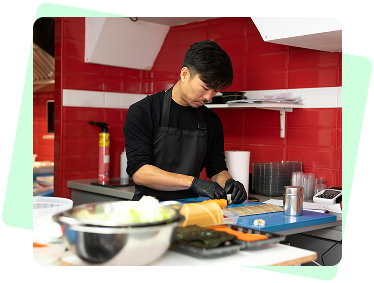
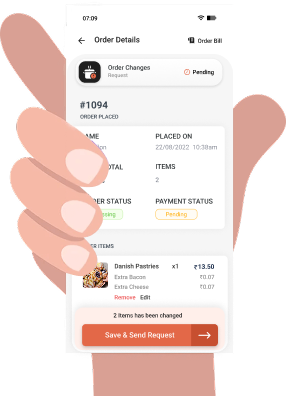
Sync orders with POS and kitchen printouts

Faster prep times, accurate fulfillment,
and a seamless flow from table to kitchen.

See how it works

Watch Demo

Features

Dine-In Ordering Benefits

Fully Contactless
Dining Experience

01

“Call Waiter” Feature
Boosts Service Efficiency

02

Direct Orders to Kitchen
Faster Turnaround

03

No More Wrong Orders
or Forgotten Tables

04

Save on Manpower,
Increase Table Turnover

05

Printable QR Codes
for Each Table

06

Pricing

Simple pricing for QR table ordering

Monthly
Yearly

Single Site

€19
/Per month

What’s included?

  • Priority support included

  • Unlimited QR codes
  • Cancel anytime
Purchase Now

Multisite

€49
/Per month

What’s included?

  • Priority support included

  • Unlimited QR codes
  • Cancel anytime
Purchase Now

Request a Free
Demo

We've got the right solution for you!
Book Now
By entering your details, you are
agreeing to our Terms & Conditions*

Single Site

€199
/Per year

What’s included?

  • Priority support included

  • Unlimited QR codes
  • Cancel anytime
Purchase Now

Multisite

€429
/Per year

What’s included?

  • Priority support included

  • Unlimited QR codes
  • Cancel anytime
Purchase Now

Request a Free
Demo

We've got the right solution for you!
Book Now
By entering your details, you are
agreeing to our Terms & Conditions*

Frequently Asked Questions

No special hardware is required for guests. They scan the table QR code on their own phone. Your restaurant only needs the RestroPress setup, printed QR codes, and the devices you already use to manage incoming orders.
Dine-in orders need an active internet connection to sync with your website, kitchen, and order management flow. If the connection drops, use your normal manual process until the connection is restored.
Yes. Guests can request waiter attention from the table ordering screen, and your team can monitor those requests from the restaurant order workflow without asking customers to install an app.
The system runs through your WordPress website and should be used with HTTPS enabled. Keep WordPress, RestroPress, payment plugins, and your hosting environment updated to protect customer and order data.

Dine In

Start automating your dine-in ordering experience

View Pricing

Documentation

Helps you to setup RestroPress and it’s Extensions.

Support Tickets

Have a problem that you can’t solve? We are here to help you.

FAQ

Have a query? Take a look at our Frequently asked questions.

© 2026 RestroPress. All Rights Reserved.
envelopephone-handset linkedin facebook pinterest youtube rss twitter instagram facebook-blank rss-blank linkedin-blank pinterest youtube twitter instagram