


QR code table menus
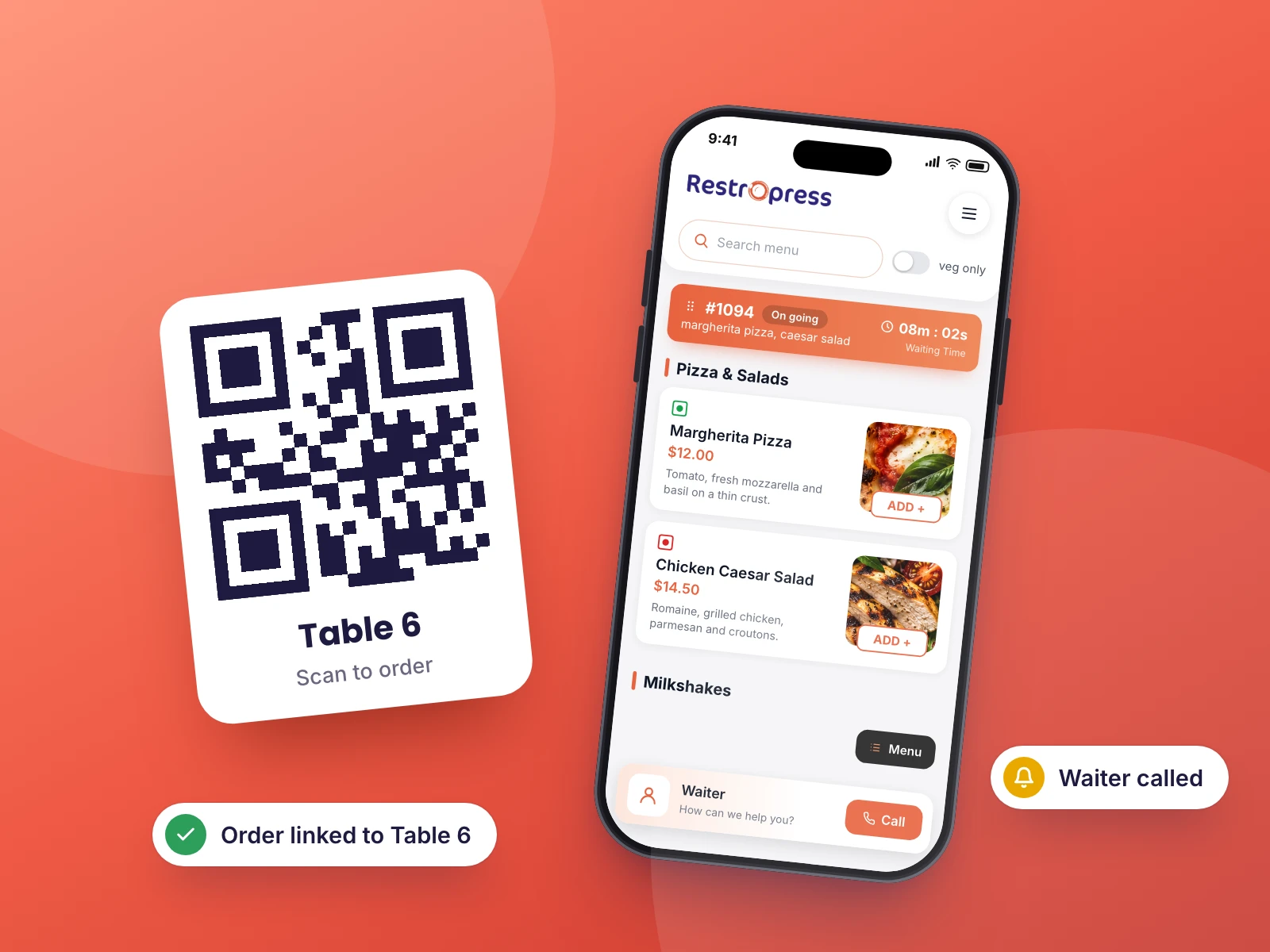
Each table gets a unique QR code. Customers scan it to access your menu on their phone.

Customers scan a QR code at their table, browse your menu on their own device, and place their order without touching a shared menu or flagging down a waiter.
Included in Business, AgencyOnly need this one? Buy it on its own from $199 / year
 RESTROPRESS · DINE-IN
WHAT DINE IN ADDS
Each table gets a unique QR code. Customers scan it to access your menu on their phone.
The entire RestroPress menu loads in the customer's browser with no app download required.
Guests follow their order status on their phone, add items to a live table order, and get push notifications when you connect a Firebase project.
Stripe, Square, PayPal and Paytm are built in, plus UPI with PhonePe, Google Pay and Paytm intents, or cash. Choose whether guests pay before ordering or when they request the bill.
Adds a Waiter user role, lets you assign tables to each waiter, and sends call-waiter and new-order alerts to the RestroPress Waiter app.
Customers enter their own order, eliminating miscommunication between table and kitchen.
Add your logo, header and footer text to the printable QR frame, and set the main screen logo, loading logo and accent color of the ordering app.
Require login before ordering, allow mobile-number login, show vegetarian items only, and hide any theme section by CSS class or ID.
Group tables by floor, let guests call a waiter from the menu, and let them request the bill from their seat when they are done.
MAKE IT YOURS
Print a QR code per table and your dining room runs on the same menu as your online orders.
Get setup guidanceIn RestroPress, Settings, Dine In, use General to pick the DineIn page, label, logos and payment options, Floor Setup to list your floors, and QR Generator to enter table IDs and generate a QR code for each table.
Download the framed QR codes from QR Generator and place one at each table.
Optionally paste your Firebase details in Firebase Setup, create users with the Waiter role and assign their tables from the user profile. Guests then scan, order, call a waiter and request the bill from their phone.
PLANS & REQUIREMENTS
DINE-IN EXTENSION
Compare the complete feature list to see which plan fits the rest of your setup.
15 WEBSITES
$799/ year
30 WEBSITES
$1,499/ year
BUY THIS EXTENSION ONLY
Pay monthly, or pay yearly and save up to 27%. Pick how many websites you run.
Paying yearly saves up to 27%.
Licence key and download appear in your account right after checkout. Includes updates and support for this extension.
QUESTIONS, ANSWERED
CONTINUE EXPLORING

A full booking workflow with occasion types, guest count control, paid reservations via Stripe, OTP verification, and automated email and SMS confirmations.
Included in Professional, Business, AgencyView extensionYOUR NEXT DIRECT ORDER STARTS HERE
Explore the ordering experience, then choose the tools your team needs.

