Good service.
In the right hands.

The counter, the kitchen, the table and the doorstep. Give each person a focused app for their part of the order.

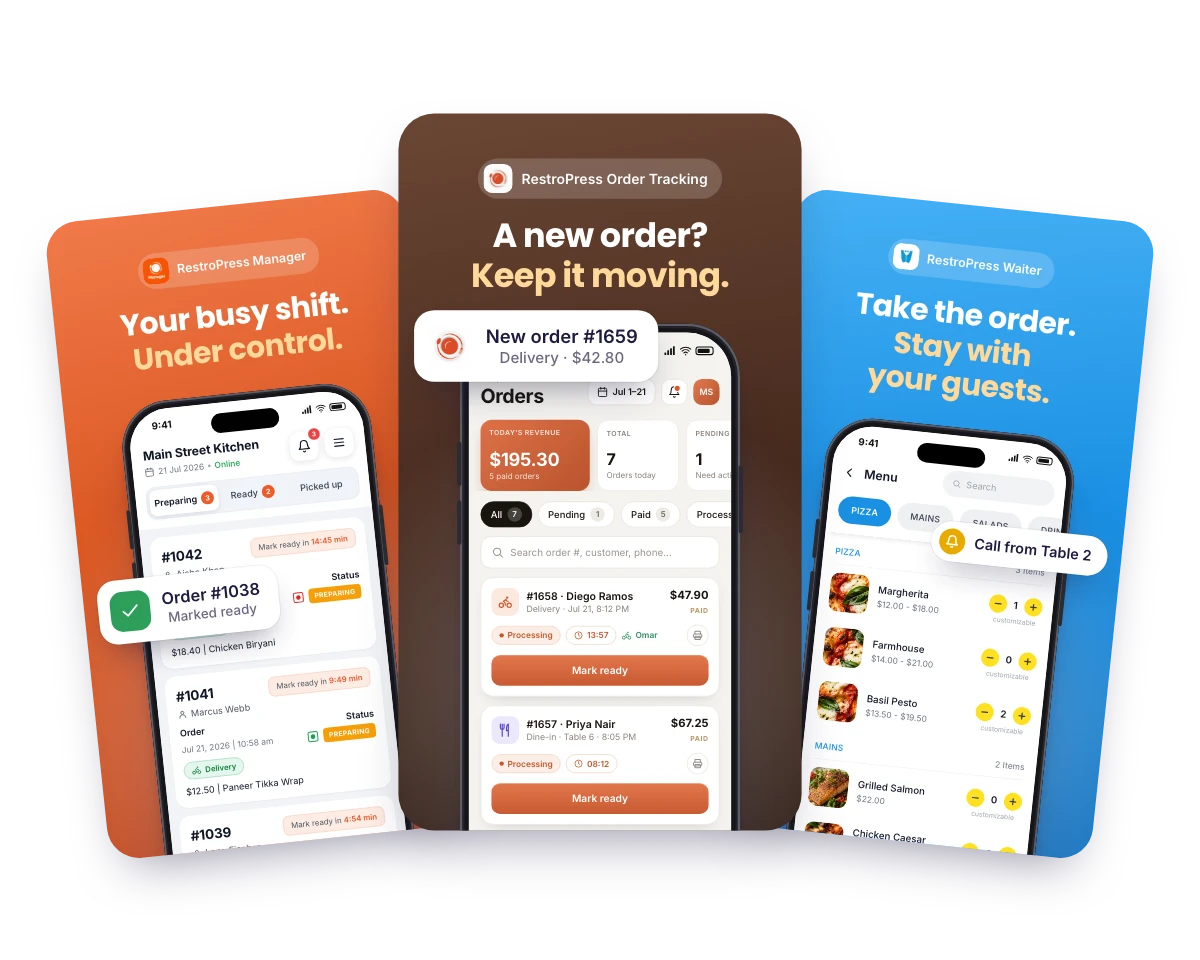
RestroPress Manager, Order Tracking and Waiter screenshots: “Your busy shift. Under control.”, “A new order? Keep it moving.” and “Take the order. Stay with your guests.”
Orders. People. Service.
Connected through RestroPress.

THE RESTROPRESS APP COLLECTION

Who are you equipping?

Choose by role. Check each app’s requirements, plan availability and supported devices.

8 results

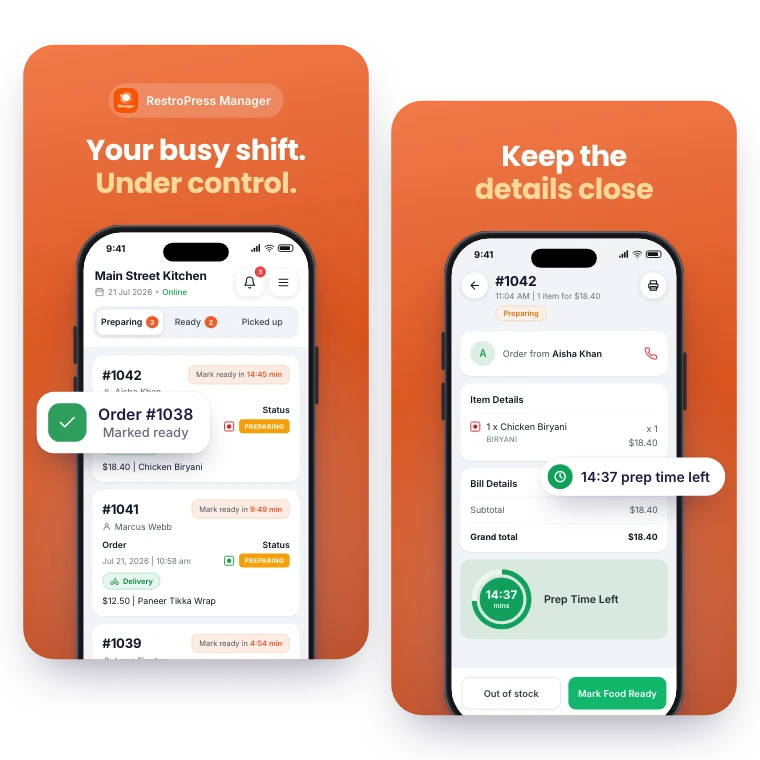
RestroPress Manager screenshots: “Your busy shift. Under control.” over the order queue, and “Keep the details close” over an order’s details

FOR YOUR DAILY OPERATIONS

Manager

Run the day from your phone. RestroPress Manager brings the live order queue, menu editing and a store open or closed switch to owners and shop managers.

Explore Manager

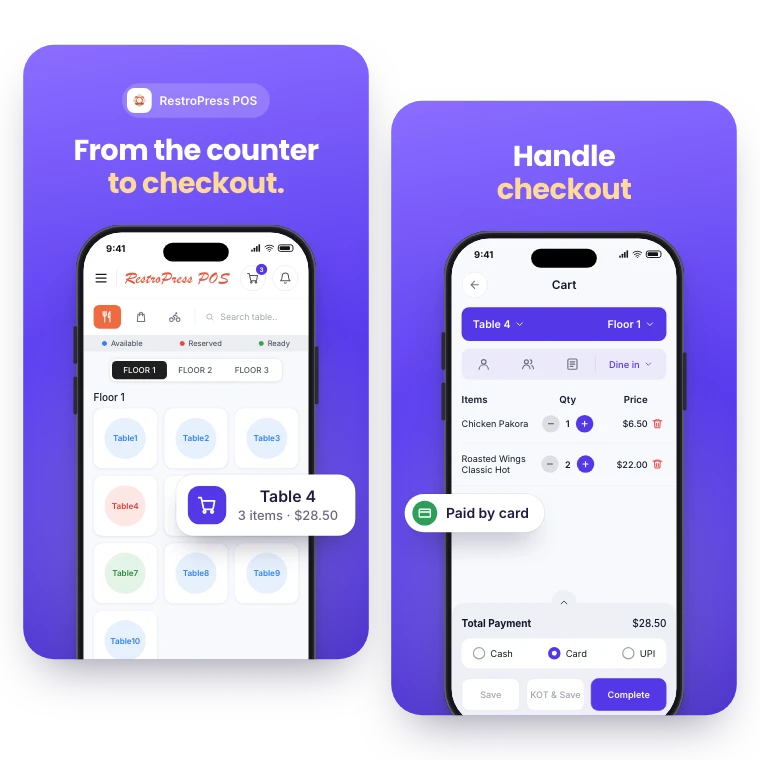
RestroPress POS screenshots: “From the counter to checkout.” over the table plan, and “Handle checkout” over a table’s cart paid by card

FOR YOUR COUNTER & CHECKOUT

POS

Take counter, table and phone orders in the same system as your online orders. RestroPress POS records each sale, prints kitchen and bar tickets and reports on the day.

Explore POS
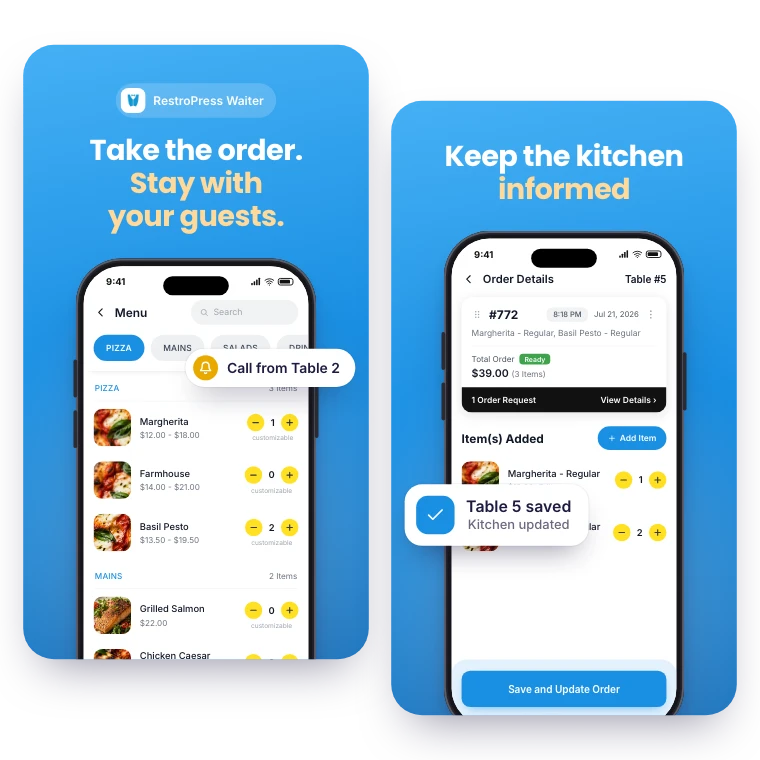

RestroPress Waiter screenshots: “Take the order. Stay with your guests.” over the menu, and “Keep the kitchen informed” over a saved table order

FOR YOUR FRONT-OF-HOUSE TEAM

Waiter

Put table service on your team’s phone or tablet. RestroPress Waiter helps staff take orders, communicate with the kitchen and respond to guest requests.

Explore Waiter
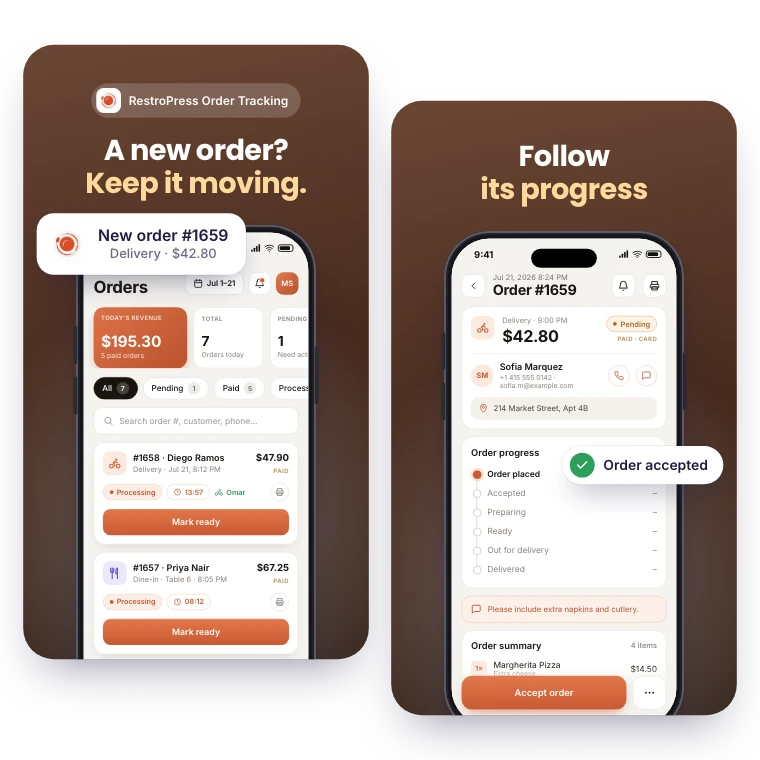
RestroPress Order Tracking screenshots: “A new order? Keep it moving.” over the order list with a new order alert, and “Follow its progress” over an order’s progress

FOR EVERY INCOMING ORDER

Order Tracking

Receive order alerts and see pickup, delivery and dine-in orders together. RestroPress Order Tracking helps your team follow each order’s progress from a phone or tablet.

Explore Order Tracking
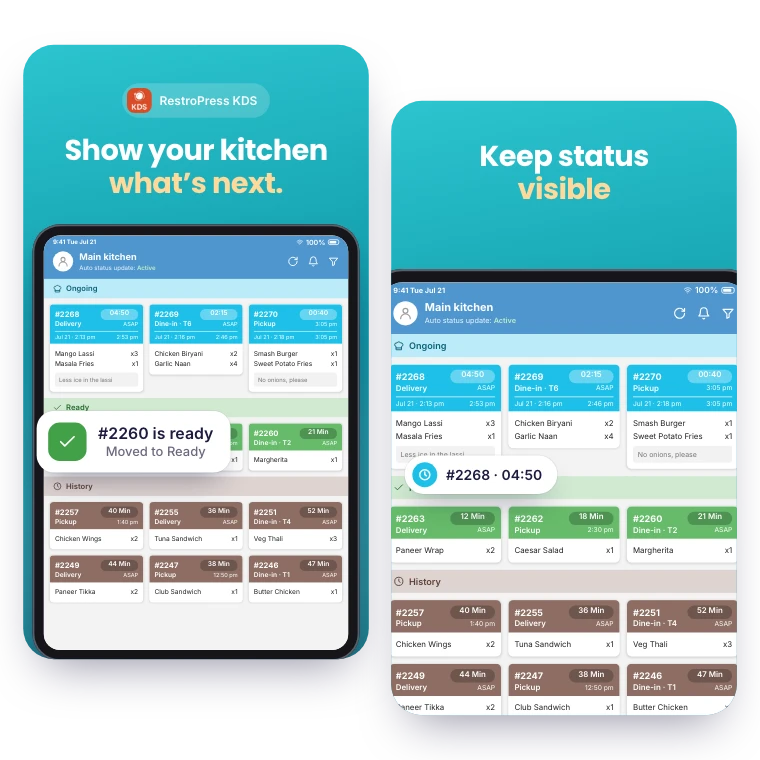
RestroPress KDS screenshots: “Show your kitchen what’s next.” and “Keep status visible” over the kitchen ticket board

FOR YOUR KITCHEN TEAM

KDS

Turn incoming orders into a kitchen display your cooking team can follow. RestroPress KDS brings tickets, preparation status and timers into one view.

Explore KDS
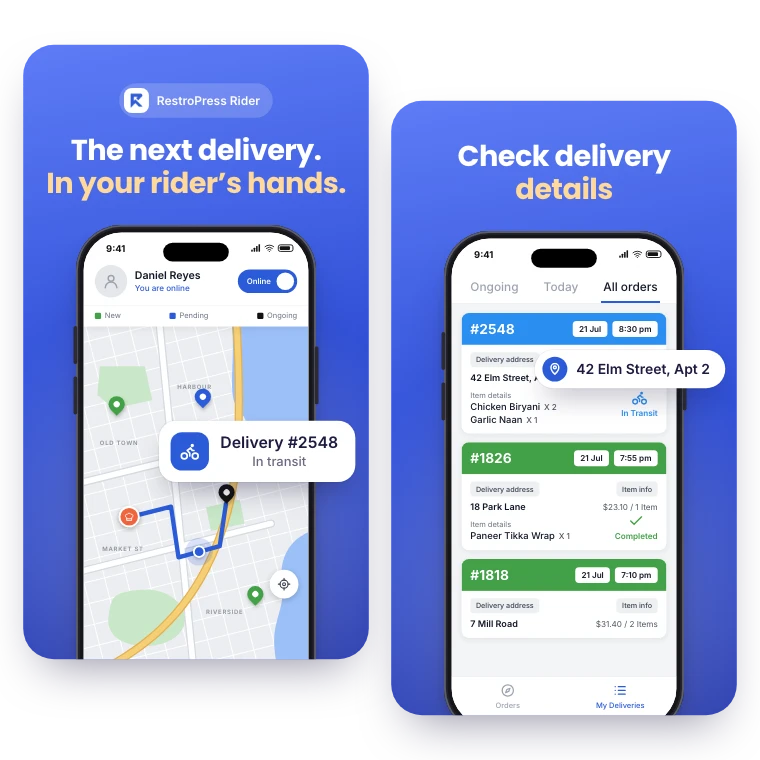
RestroPress Rider screenshots: “The next delivery. In your rider’s hands.” over the delivery map, and “Check delivery details” over the delivery list

FOR YOUR DELIVERY TEAM

Rider

Give drivers their own view of delivery work. RestroPress Rider keeps assigned orders, delivery details and order status close at hand.

Explore Rider
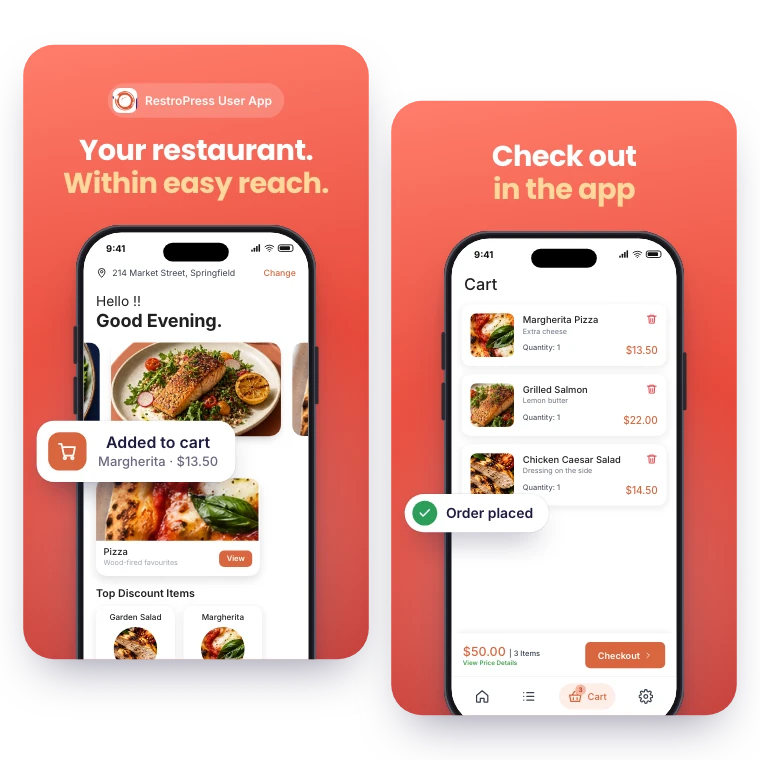
RestroPress User App screenshots: “Your restaurant. Within easy reach.” over the home screen, and “Check out in the app” over the cart

FOR YOUR CUSTOMERS

User App

A free ordering app for your customers on iPhone and Android: your menu, in-app payment with PayPal or Stripe, saved addresses and order history.

Explore the User App
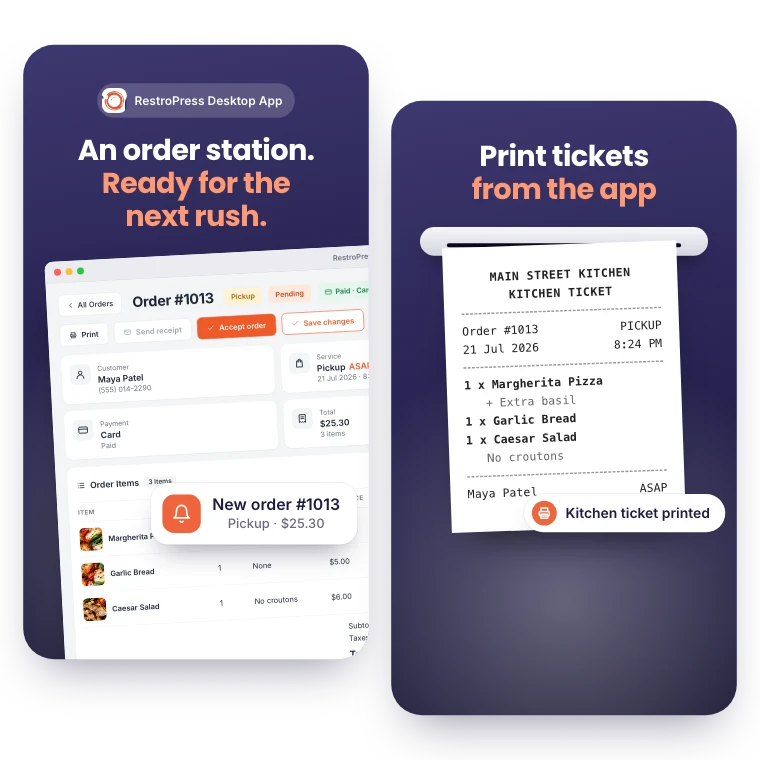
RestroPress Desktop App screenshots: “An order station. Ready for the next rush.” over an order in the app window, and “Print tickets from the app” over a printed kitchen ticket

FOR YOUR ORDER STATION

Desktop App

Receive, manage and print orders from a native Windows or Mac app at your order station.

Explore the Desktop App

MAKE IT YOURS

Choose the workflow.
Then choose the apps.

A clear starting point for your restaurant and the people behind every order.

Get setup guidance
  1. 01

    Choose the workflow

    Start with the service you provide and the people who manage it.

  2. 02

    Confirm your setup

    Check the connected website, extensions, licenses and device compatibility.

  3. 03

    Try it with your team

    Test a complete order before bringing the apps into daily service.

QUESTIONS, ANSWERED

A few things to know.

Are all apps and extensions included?
No. Every app is free to install, but each one connects to your website through an extension. Order Tracking is in every paid plan from Starter; KDS, Rider and the Desktop App are in Professional, Business and Agency; Waiter needs the Dine-in extension (Business and Agency); User App, Manager and POS are licensed separately. Compare the plans and check each app’s requirements.
What is the difference between the User App and team apps?
The User App is for your customers to order. Manager, POS, Waiter, Order Tracking, KDS and Rider support different parts of your restaurant’s service workflow.
Will my existing printer work?
Printer support depends on the app, device and connection. Order Tracking, the Desktop App and POS print receipts and kitchen tickets; KDS, Manager, Rider and Waiter do not print. Check the app documentation and confirm the exact model with our team before choosing hardware.
How do staff sign in to the team apps?
Order Tracking, Manager, POS and Waiter use a WordPress login with the right role (Administrator or Shop Manager, Shop Worker for POS cashiers, Waiter for floor staff). KDS screens pair by scanning a QR code and sign in as a Shop Worker. Riders are added under RestroPress > Drivers and sign in with the login they are emailed.

YOUR NEXT DIRECT ORDER STARTS HERE

See how it works for your restaurant.

Explore the ordering experience, then choose the tools your team needs.