
Take table orders
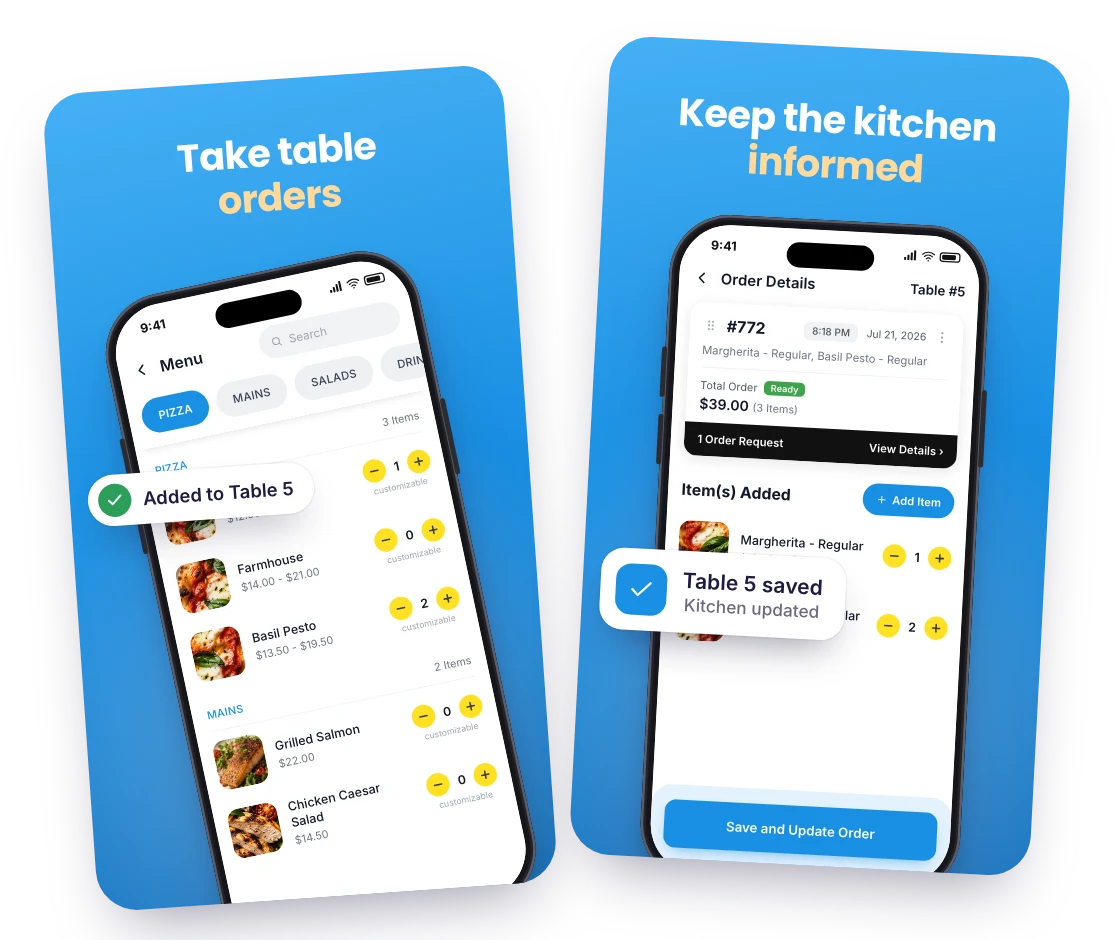
Open the table, browse the menu and add each guest’s items and notes, so the order is right before the waiter leaves the floor.

Put table service on your team’s phone or tablet. RestroPress Waiter lets your floor staff open a table, take the order, add to it during the meal and answer guest requests, all written straight to your RestroPress website.
Only need this one? Buy it on its own from $199 / year

FOR YOUR FRONT-OF-HOUSE TEAM
SERVICE WITHOUT THE WALK TO THE TERMINAL
Open the table, browse the menu and add each guest’s items and notes, so the order is right before the waiter leaves the floor.
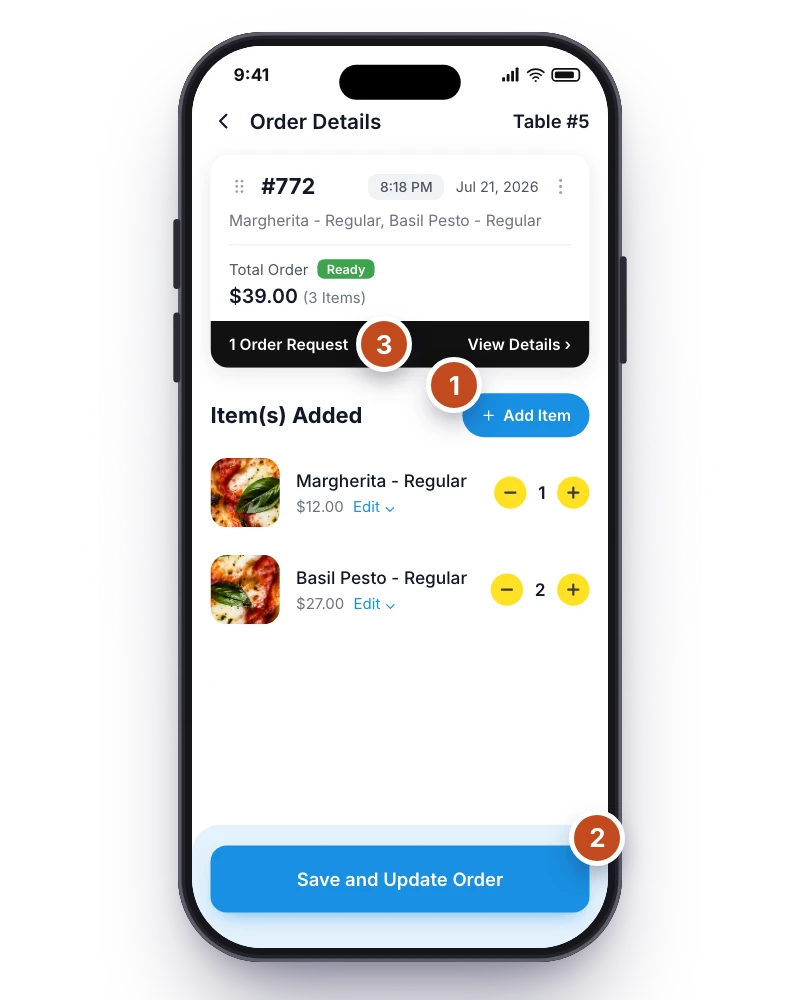
Save the order and the kitchen sees it at once; add a round of drinks or a dessert later without starting the ticket again.
Get a push notification when a guest at one of your tables calls for service or asks for the bill, and approve or decline item changes guests request from their own phones.
WHAT WAITER DOES
Pick the table, browse the same menu as your website with addons and notes, and place the order. It lands in your RestroPress order list as a dine-in order for that table.
A table keeps one running order for the visit. Adding drinks or dessert later appends them to the same ticket instead of starting a new one.
When a guest taps call waiter or request the bill on the QR menu, the waiters assigned to that table get a push notification.
Changes guests make to a placed order arrive as requests; the waiter accepts or declines them and the guest is notified of the result.
Assign tables to each waiter on their WordPress profile; the app shows them their own tables and routes notifications accordingly.
Move the order through accepted, processing, ready and completed, cancel with a reason, attach a guest by phone number and mark the table paid and closed.
MAKE IT YOURS
You need a RestroPress website with the Dine-in extension (included in Business and Agency, or from $19 per month or $199 per year for one site), a WordPress user with the Waiter role for each waiter, and an Android or iOS phone or tablet each. The app is free on both stores.
Get setup guidanceActivate the Dine-in extension, add your floors and tables in RestroPress > Settings > Dine In > QR Generator and print the QR code for each table.
Create a WordPress user with the Waiter role for each waiter and assign their tables on the user profile. Install the app on their phone or tablet and sign in with that login.
Seat a test table, place an order, add an extra item, call the waiter from the guest QR menu and mark the order completed, checking that each step appears in your admin.
THE NEXT STEP
AVAILABLE ON iOS AND ANDROID
Requires a RestroPress website with the Dine-in extension, included in the Business and Agency plans or licensed on its own at $19 per month or $199 per year for one site and $49 per month or $429 per year for multisite. Waiters sign in with a WordPress login.
BUY THIS EXTENSION ONLY
Pay monthly, or pay yearly and save up to 27%. Pick how many websites you run.
Paying yearly saves up to 27%.
Licence key and download appear in your account right after checkout. Includes updates and support for this extension. 14-day money-back guarantee, see the refund policy.
QUESTIONS, ANSWERED
CONNECTED BY RESTROPRESS

FOR YOUR DAILY OPERATIONS
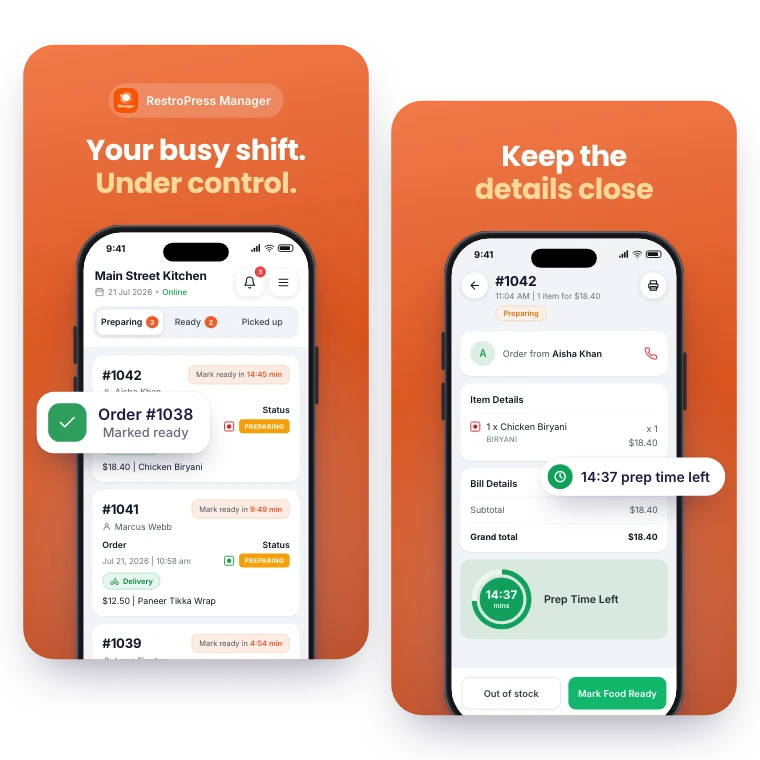
Keep daily order management within reach. RestroPress Manager brings the order queue, menu editing and a store open or closed switch to your phone.
Explore Manager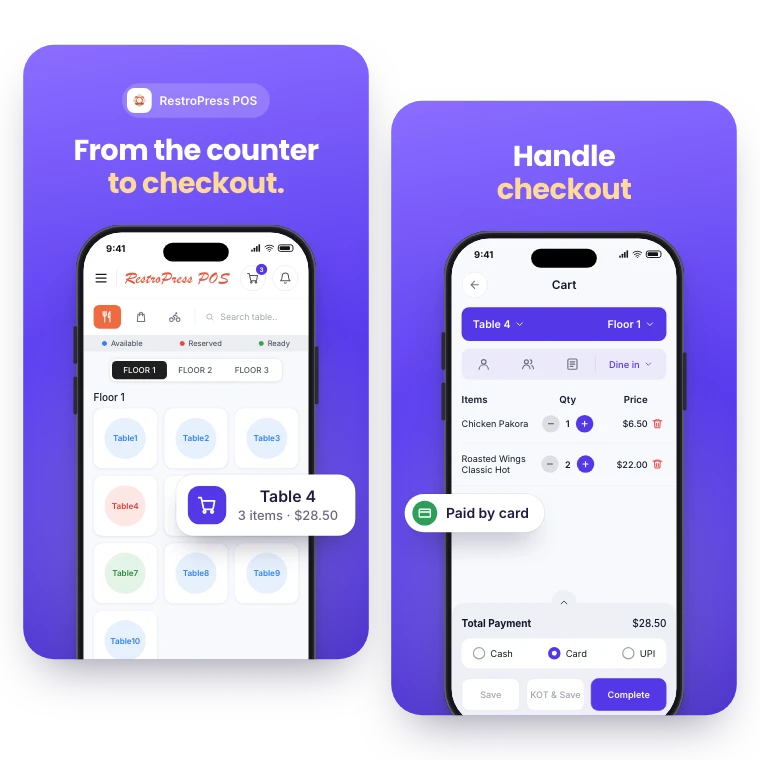

FOR YOUR COUNTER & CHECKOUT
Take counter, table and phone orders in the same system as your online orders. RestroPress POS records each sale, prints kitchen and bar tickets and reports on the day.
Explore POSYOUR NEXT DIRECT ORDER STARTS HERE
Explore the ordering experience, then choose the tools your team needs.