

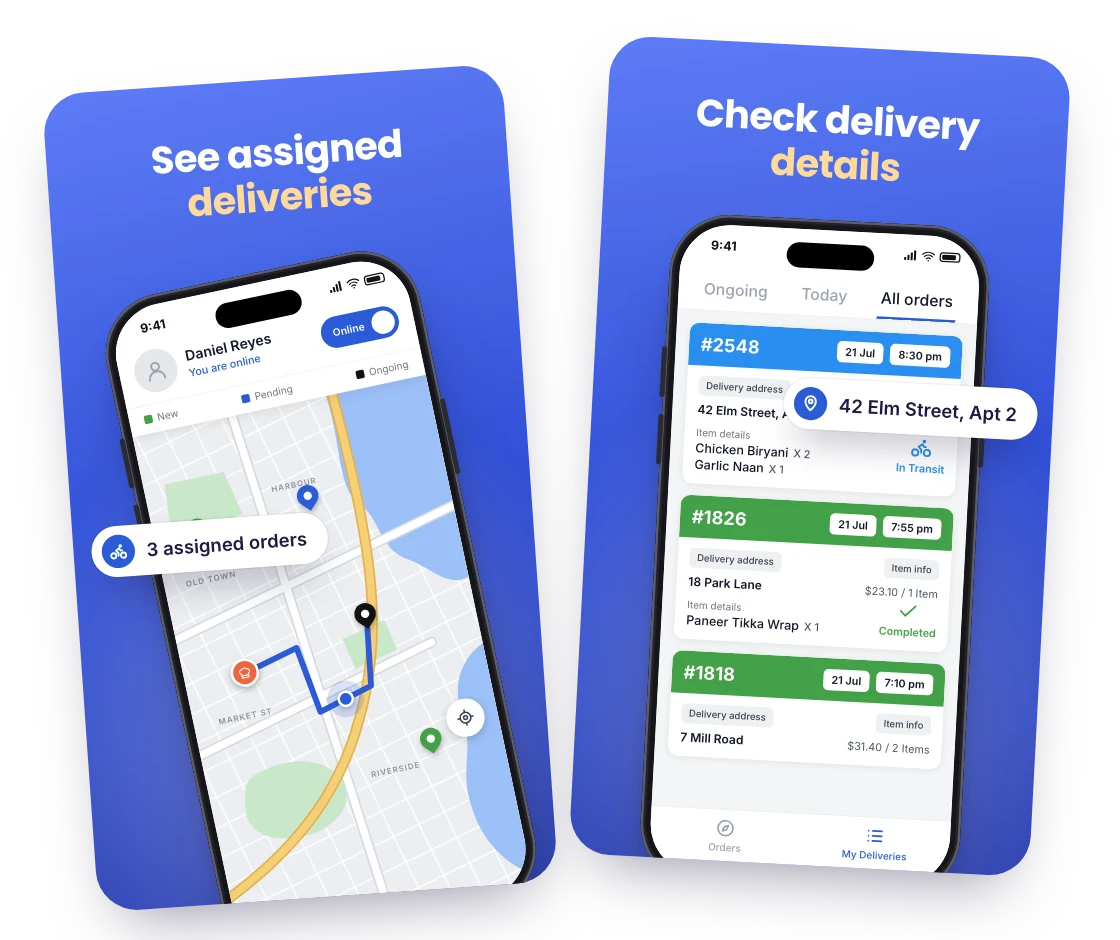
See assigned deliveries
Each rider opens RestroPress Rider and sees only the orders assigned to them, newest first, as soon as you assign them in admin.

Give your delivery riders their own app. RestroPress Rider puts each assigned order, its address and customer details on the rider’s phone and sends every status change back to your website.
Only need this one? Buy it on its own from $59 / year

FOR YOUR DELIVERY TEAM
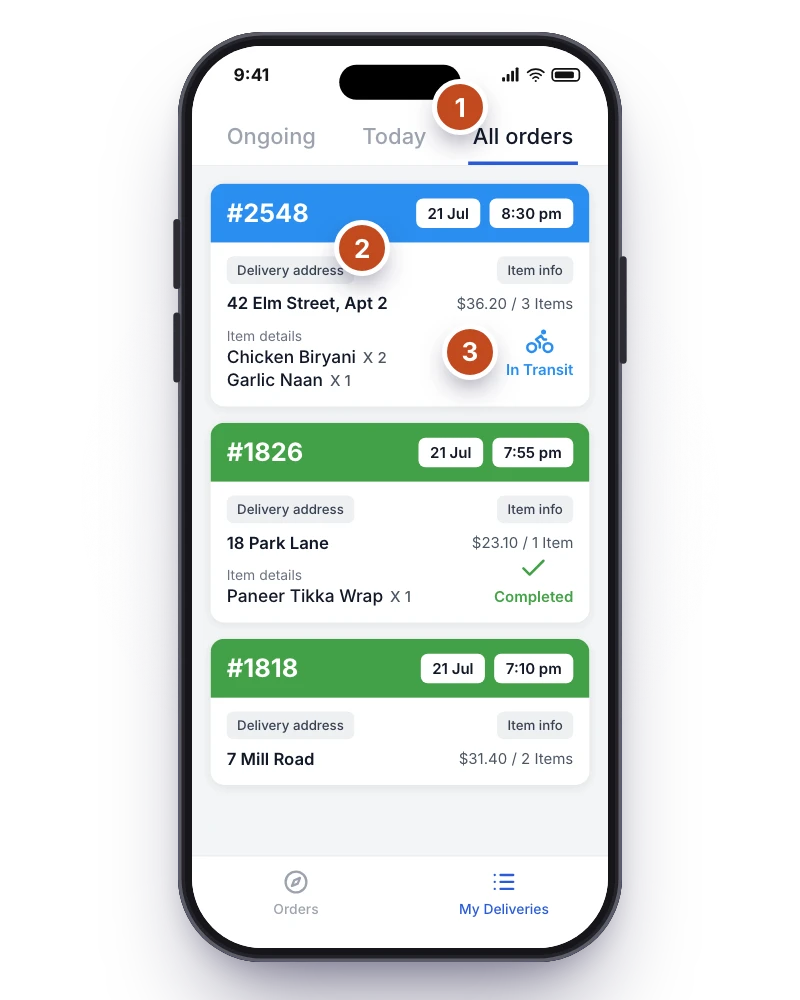
EVERY DELIVERY ON ONE SCREEN
Each rider opens RestroPress Rider and sees only the orders assigned to them, newest first, as soon as you assign them in admin.
Tapping an order shows the delivery address, the items in the bag and the customer’s contact details, so there is no call back to the restaurant.
Riders mark an order picked up, out for delivery and delivered from the road, and the new status shows in your WordPress admin and on the customer’s order straight away.
WHAT RIDER DOES
A Drivers column on delivery orders and an Assign button in order details list your online riders on a map; pick one and the order is theirs.
The rider’s phone gets “You have received a new order” the moment you assign it, so nobody has to call the kitchen.
Delivery address, items in the bag, customer name and phone, and a road route drawn with your Google Directions key.
Picked Up, Out for Delivery and Delivered, or a cancellation with a reason and photo, all recorded on the order in WordPress.
Riders go online or offline in the app and share their location; the Drivers screen shows each one’s last position and status, and the assign map refreshes every few seconds.
Turn on Proximity Rider Dispatch to broadcast confirmed delivery orders to riders within a growing radius; the first to accept gets the order.
MAKE IT YOURS
You need a RestroPress website with the Driver App extension (included in Professional, Business and Agency), a Google Maps API key for the admin map, and a WordPress user with the Driver role for each rider. The app is free on both stores.
Get setup guidanceActivate the extension on your RestroPress website and generate the API key that links RestroPress Rider to your store.
Open RestroPress > Drivers and add each rider with name, phone and ID details. They receive a login by email and sign in to the app on their own phone.
Pick a test order, assign it to a rider from the orders screen and watch the push notification, the address and the status change arrive on the phone.
THE NEXT STEP
AVAILABLE ON iOS AND ANDROID
Requires a RestroPress website with the Driver App extension active. The extension is included in the Professional, Business and Agency plans, or licensed on its own from $19 per month or $59 per year for one site; the app is free on both stores.
BUY THIS EXTENSION ONLY
Pay monthly, or pay yearly and save up to 80%. Pick how many websites you run.
Paying yearly saves up to 80%.
Licence key and download appear in your account right after checkout. Includes updates and support for this extension.
QUESTIONS, ANSWERED
CONNECTED BY RESTROPRESS
FOR YOUR DAILY OPERATIONS
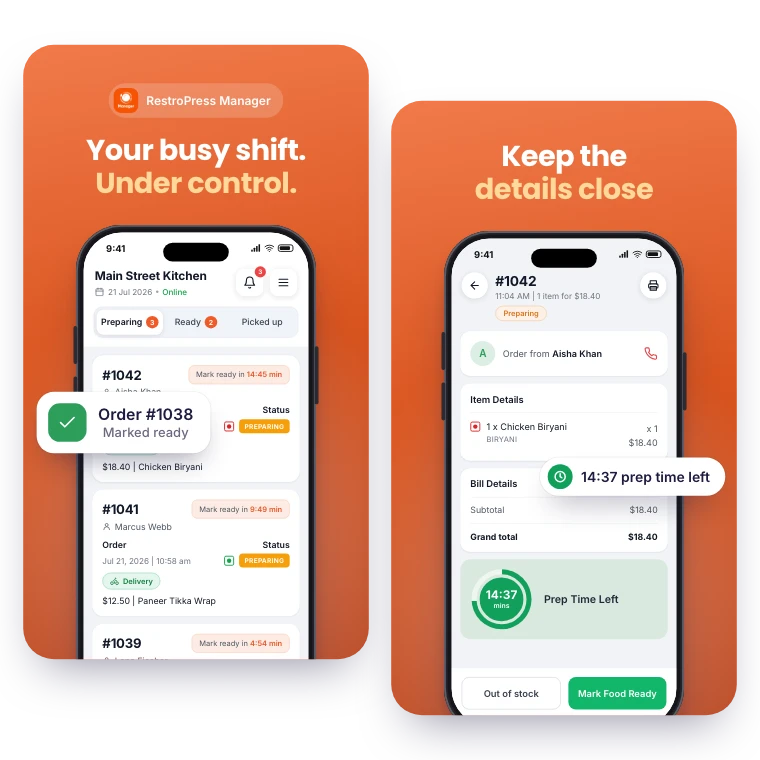
Keep daily order management within reach. RestroPress Manager brings the order queue, menu editing and a store open or closed switch to your phone.
Explore Manager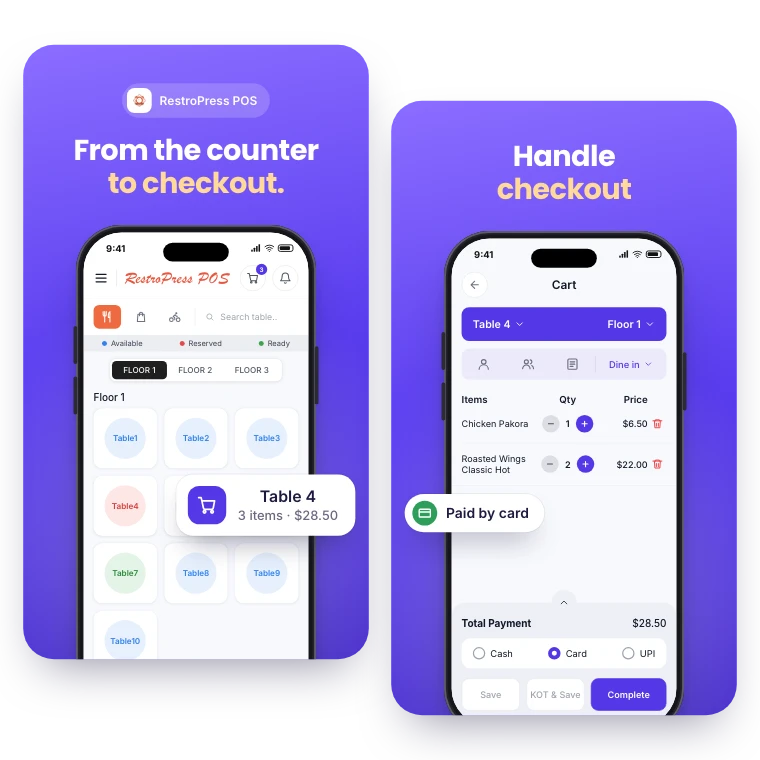

FOR YOUR COUNTER & CHECKOUT
Take counter, table and phone orders in the same system as your online orders. RestroPress POS records each sale, prints kitchen and bar tickets and reports on the day.
Explore POSYOUR NEXT DIRECT ORDER STARTS HERE
Explore the ordering experience, then choose the tools your team needs.

