

Know when an order arrives
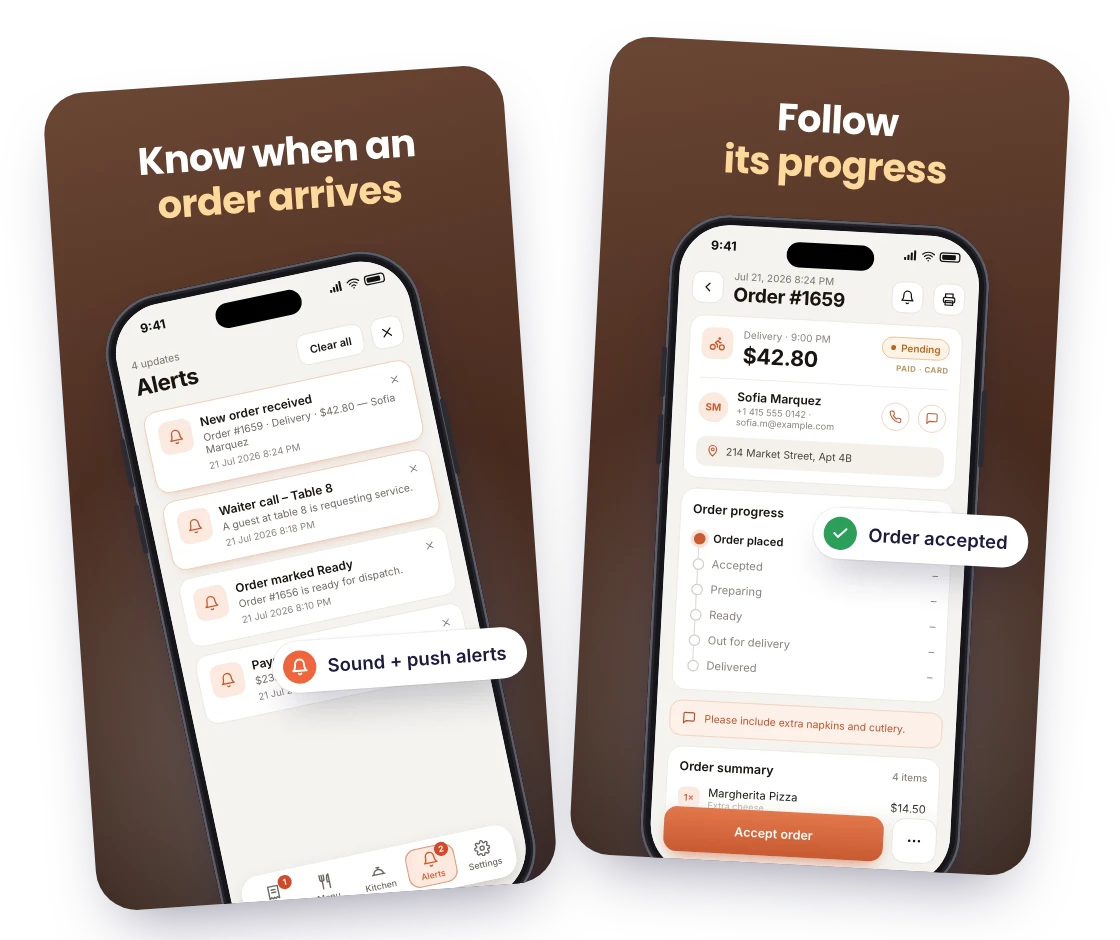
The app sounds an alert and sends a push notification the moment an order is placed, whether it is pickup, delivery or dine-in.

Get every new order on your phone with a sound, accept it, update its status and print the receipt. RestroPress Order Tracking is the order manager for restaurant owners and shop managers who do not want a WordPress tab open during service.
Only need this one? Buy it on its own from $89 / year

FOR EVERY INCOMING ORDER
NO ADMIN TAB DURING SERVICE
The app sounds an alert and sends a push notification the moment an order is placed, whether it is pickup, delivery or dine-in.
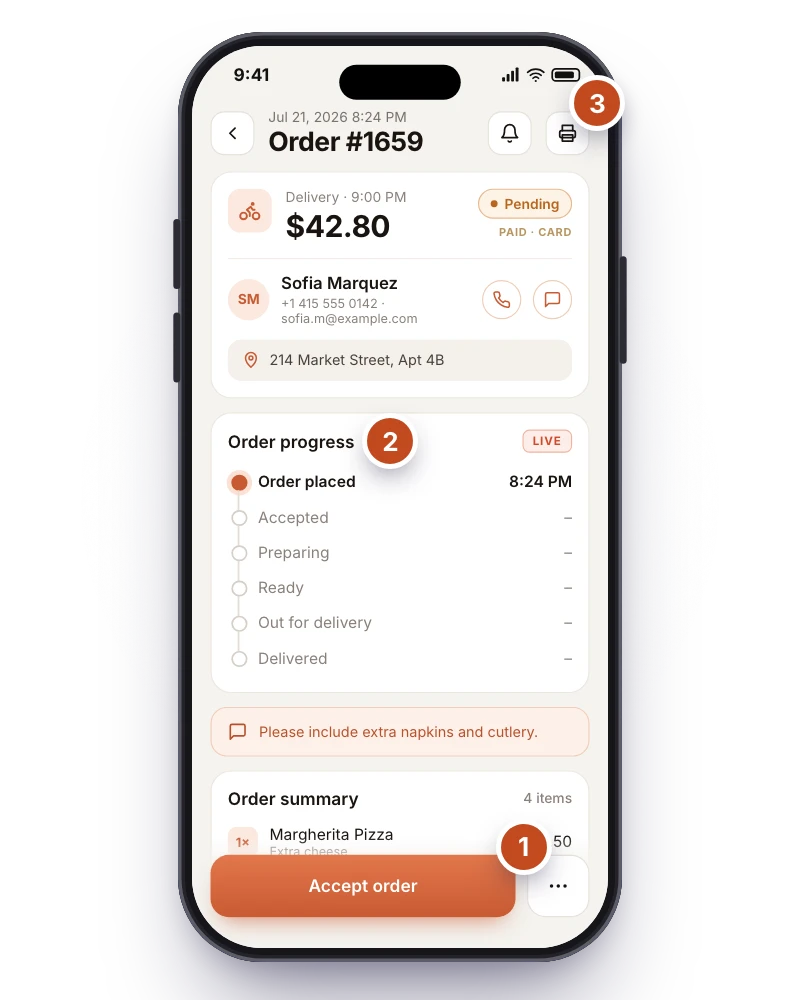
Open an order to see its items, notes and customer details, then move it through accepted, processing, ready and completed as the kitchen works, or cancel it with a reason.
Print a receipt or kitchen copy to a supported printer from the order screen whenever paper is useful. Your store logo, footer text and closing line come from the extension settings.
WHAT ORDER TRACKING DOES
A push notification with a loud sound the moment an order is placed, and an optional alert on every status change, on Android and iOS.
Accept, set a serve time, move orders through processing, ready and completed, or cancel with a reason. Picked Up and Out for Delivery appear when the Rider app is in use.
Items, addons, customer notes, checkout fields, customer contact, service type and time, payment status and order notes, with counts per status and filters by date, branch and search.
Print receipts and kitchen copies from the app with your logo, footer content and complementary close pulled from settings; auto-print and network printers are supported by the app.
Mark items or whole categories unavailable during service and update stock quantities when the Inventory extension is active.
The same order manager is served as a web app at /order-tracking/ on your website, so a laptop or any tablet browser can work the queue without installing anything.
MAKE IT YOURS
You need a RestroPress website with the Order Tracking extension (included in every paid plan from Starter upwards), a WordPress Administrator or Shop Manager login for each team member, and an Android or iOS phone or tablet, or a browser for the web app.
Get setup guidanceActivate the Order Tracking extension on your RestroPress website and open RestroPress > Order Tracking to run the Getting Started checks, which confirm HTTPS, your manager account and the license or trial.
Install RestroPress Order Tracking on the phones and tablets your team uses, scan the QR code from the settings page to connect to your site, and sign in with a WordPress Administrator or Shop Manager account.
Order from your own website and check that the alert fires, the order opens with the right details and a status change shows up in your WordPress admin.
THE NEXT STEP
AVAILABLE ON iOS AND ANDROID
Requires a RestroPress website with the Order Tracking extension, included in the Starter, Professional, Business and Agency plans or licensed on its own from $19 per month or $89 per year for one site. Printer support depends on your printer model.
BUY THIS EXTENSION ONLY
Pay monthly, or pay yearly and save up to 63%. Pick how many websites you run.
Paying yearly saves up to 63%.
Licence key and download appear in your account right after checkout. Includes updates and support for this extension.
QUESTIONS, ANSWERED
CONNECTED BY RESTROPRESS
FOR YOUR DAILY OPERATIONS
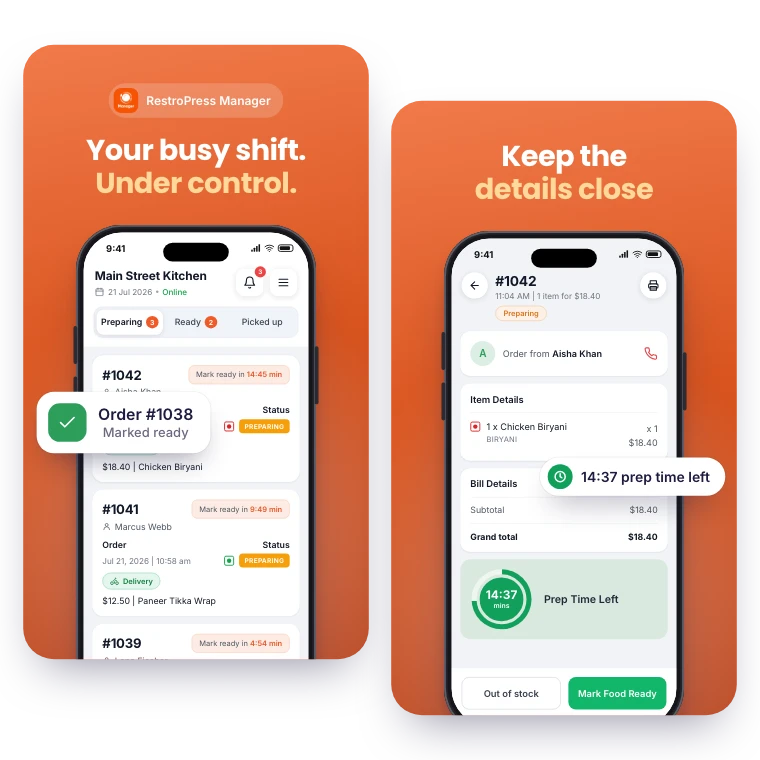
Keep daily order management within reach. RestroPress Manager brings the order queue, menu editing and a store open or closed switch to your phone.
Explore Manager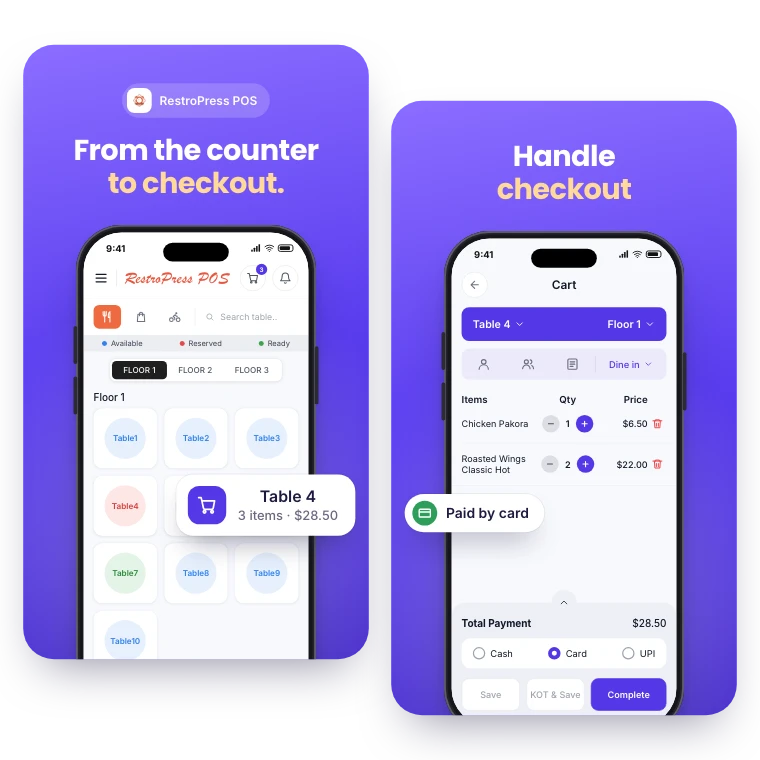

FOR YOUR COUNTER & CHECKOUT
Take counter, table and phone orders in the same system as your online orders. RestroPress POS records each sale, prints kitchen and bar tickets and reports on the day.
Explore POSYOUR NEXT DIRECT ORDER STARTS HERE
Explore the ordering experience, then choose the tools your team needs.

