
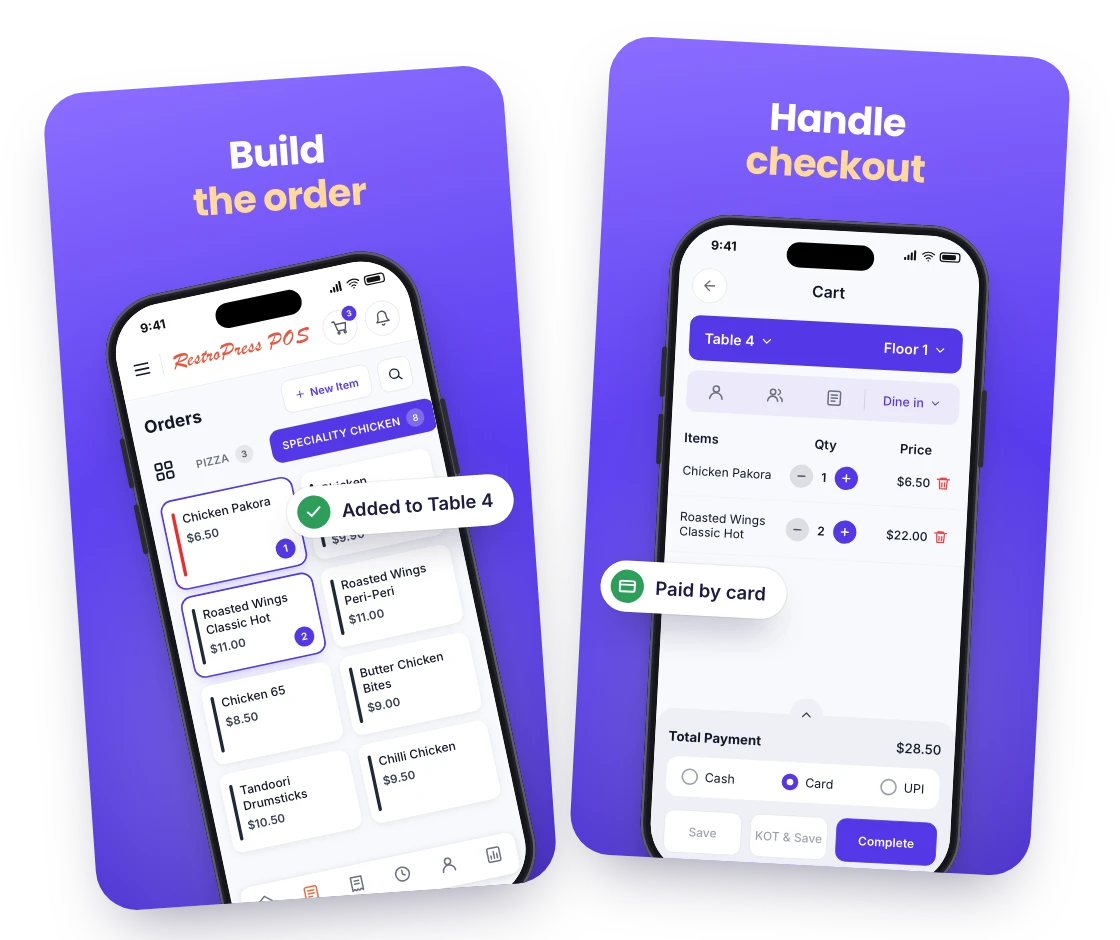
Build the order
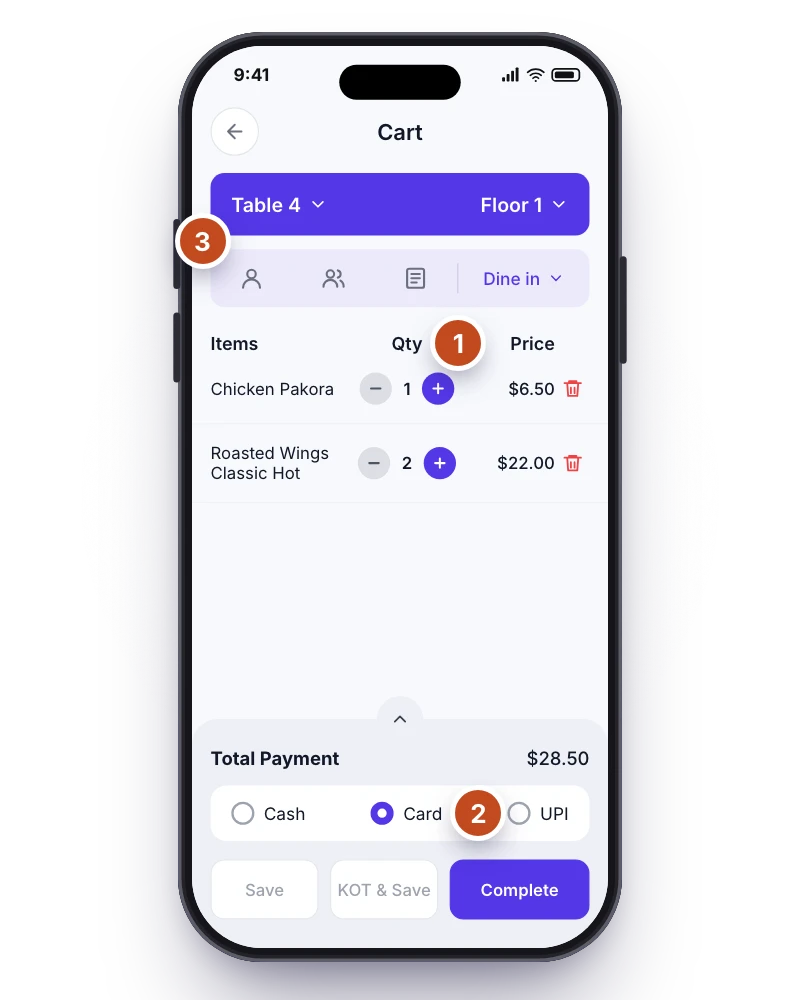
Staff tap through the same menu your website shows, with POS prices where you want them, add items and addons to the cart and choose delivery, pickup or a dine-in table.

Take counter, table and phone orders in the same system as your online orders. RestroPress POS is a point-of-sale app for restaurant staff that writes every sale straight to your RestroPress website.
Only need this one? Buy it on its own from £15 / month
FOR YOUR COUNTER & CHECKOUT
ONE TILL, ONE SET OF NUMBERS
Staff tap through the same menu your website shows, with POS prices where you want them, add items and addons to the cart and choose delivery, pickup or a dine-in table.
Record how the order was paid, add a tip, attach the customer by phone number and send the kitchen and bar tickets to print from the same screen.
Every counter sale is created on your RestroPress website, so online and in-person orders share one order list, one customer list and one set of sales reports.
WHAT POS DOES
Items, variations and addons come from your website, with an optional POS price per item and variation and a top-sellers sort.
With the Dine-in extension, pick a floor and table, record the guest count and notify the Waiter app; delivery and pickup orders get time slots and delivery fees.
Look up a customer by phone number, keep their billing and delivery addresses and build a record of their orders.
Choose which categories print as kitchen (KOT) and bar (BOT) tickets; the app splits each order accordingly and sends it to your printer.
Revenue, tax, fees, discounts, refunds and net for any date range, plus top-selling items by quantity and earnings and a day-end report.
Add cashiers as Shop Worker employees from the app, each with their own WordPress login, phone and photo. Orders can be marked with cooking start and prepare time.
MAKE IT YOURS
You need a RestroPress website with the POS extension (licensed per site, from £15 per month), a WordPress login for each cashier, and an Android, iOS, Mac or Windows device at the counter. A receipt printer is optional.
Get setup guidanceActivate the POS extension on your RestroPress website, install the app on your counter device and sign in with your WordPress username and password.
Add your cashiers as employees from the app, choose which categories print as kitchen and bar tickets, and connect your receipt printer.
Ring up a real order, record the payment, print the ticket and confirm the sale appears in your website’s order list and the POS sales report before opening.
THE NEXT STEP
AVAILABLE ON iOS, ANDROID, MAC AND WINDOWS
Requires a RestroPress website with the POS extension: £15 per month for one site, £39 per month for up to 5 sites and £62 per month for up to 15 sites. The Windows build is published on GitHub; the Mac build is on the App Store.
BUY THIS EXTENSION ONLY
Billed monthly, cancel any time. Pick how many websites you run.
Licence key and download appear in your account right after checkout. Includes updates and support for this extension. 14-day money-back guarantee, see the refund policy.
QUESTIONS, ANSWERED
CONNECTED BY RESTROPRESS

FOR YOUR DAILY OPERATIONS
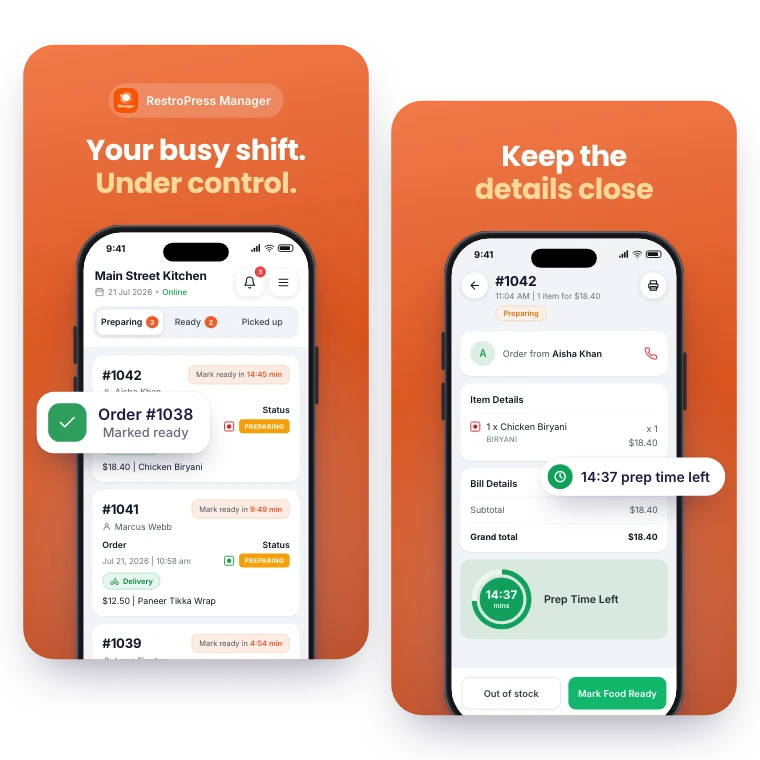
Keep daily order management within reach. RestroPress Manager brings the order queue, menu editing and a store open or closed switch to your phone.
Explore Manager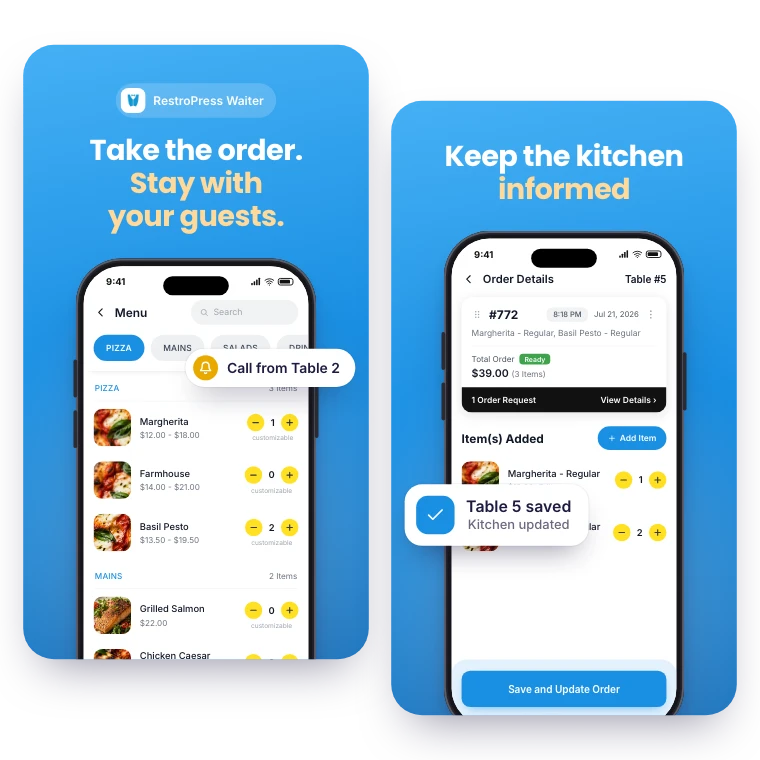

FOR YOUR FRONT-OF-HOUSE TEAM
Put table service on your team’s phone or tablet. RestroPress Waiter helps staff take orders, communicate with the kitchen and respond to guest requests.
Explore WaiterYOUR NEXT DIRECT ORDER STARTS HERE
Explore the ordering experience, then choose the tools your team needs.