


Visa, Mastercard and more
Accept every card type enabled on your Authorize.net merchant account. Customers enter their card on your checkout page; there is no redirect.

Connect your Authorize.net merchant account to RestroPress and accept Visa, Mastercard, American Express and Discover directly on your checkout page, with sandbox testing before you go live.
Free · no plan needed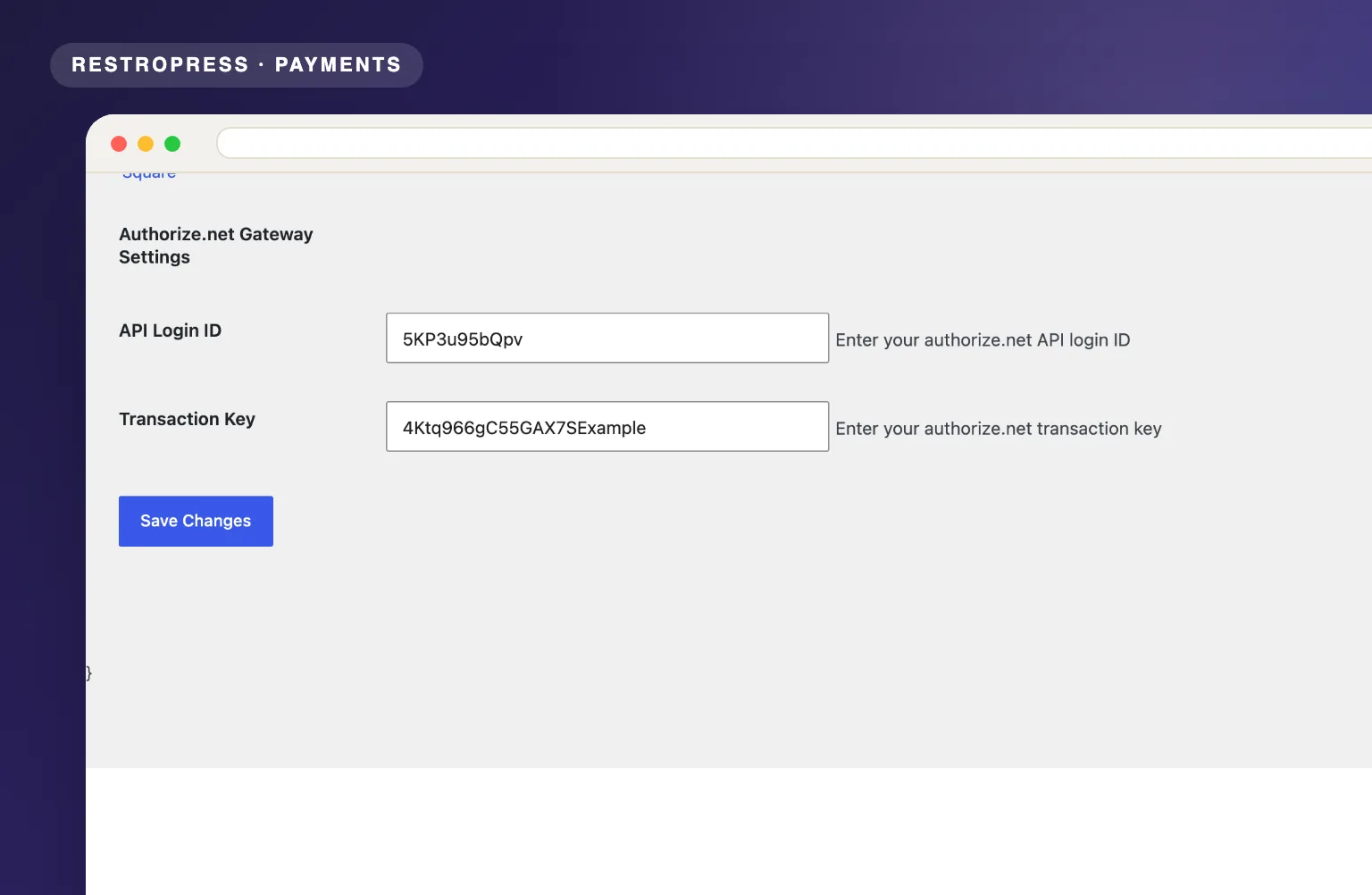 RESTROPRESS · PAYMENTS
WHAT AUTHORIZE.NET ADDS
Accept every card type enabled on your Authorize.net merchant account. Customers enter their card on your checkout page; there is no redirect.
The plugin sends an authorize-and-capture request to Authorize.net's AIM API and stores the returned transaction ID on the RestroPress order.
Turn on RestroPress Test Mode and the same API Login ID and Transaction Key fields are used against the Authorize.net sandbox, so you can run test cards before going live.
Only an API Login ID and a Transaction Key are needed. Paste them in, enable the gateway, done.
Invalid or declined cards are turned into plain error messages and the customer is returned to checkout. An order is only created once Authorize.net approves the charge.
MAKE IT YOURS
Three steps from an Authorize.net account to card payments on your restaurant checkout.
Get setup guidanceSign up at authorize.net and, under Account > API Credentials & Keys, generate your API Login ID and Transaction Key. Open a sandbox account too if you want to test first.
Go to RestroPress > Settings > Payment Gateways > Authorize.net, paste the API Login ID and Transaction Key, then enable the Authorize.net gateway. It appears at checkout as Credit Card.
With RestroPress Test Mode on, charges go to the Authorize.net sandbox using the keys you entered. Switch Test Mode off with your live keys in place and customers pay by card on your site; approved orders confirm instantly.
PLANS & REQUIREMENTS
PAYMENTS EXTENSION
Free for every RestroPress website. Download it below, no plan needed. Paid plans add the premium extensions and priority support.
FREE EXTENSION
Download it now; enter your email at checkout and the file is saved to your RestroPress account for future updates.
QUESTIONS, ANSWERED
CONTINUE EXPLORING

Process credit card payments through your Braintree account with vault storage, immediate settlement, and SSL-backed encryption built for high-volume food ordering.
Free · no plan neededView extension
Connect Mollie to RestroPress and let customers pay via iDEAL, Bancontact, SEPA, Apple Pay, PayPal, credit cards, and more with no gateway or startup fees.
Free · no plan neededView extension
Add two PayPal checkout paths: Pro lets customers pay by card without leaving your site; Express delivers the trusted PayPal wallet experience for higher conversions.
Free · no plan neededView extensionYOUR NEXT DIRECT ORDER STARTS HERE
Explore the ordering experience, then choose the tools your team needs.

