


Automatic checkout subscription
Customers subscribe to your Mailchimp list as part of the checkout flow.

Automatically subscribe customers to Mailchimp at checkout, sync purchase data, and run targeted campaigns that bring them back for their next order.
Included in Professional, Business, AgencyOnly need this one? Buy it on its own from $49 / year
 RESTROPRESS · MARKETING
WHAT MAILCHIMP INTEGRATION ADDS
Customers subscribe to your Mailchimp list as part of the checkout flow.
Set the opt-in checkbox label to match your voice and brand.
Send a confirmation email before adding a subscriber, for GDPR-friendly list building.
Customer purchase history syncs to Mailchimp for segmentation and targeting.
Track the revenue generated by each email campaign directly in Mailchimp.
Record e-commerce data in test mode before going live.
Connect one or more Mailchimp audiences to your store, pick the default list for the checkout opt-in, and force a full sync of products, customers and orders whenever you need.
On any food item, choose the lists and interest groups buyers of that item join, and decide whether those buyers must double opt-in.
Refunded or cancelled orders are updated in Mailchimp, and orders placed from a campaign link are credited to that campaign for revenue reports.
MAKE IT YOURS
Connect Mailchimp once and your customer list builds itself with every checkout.
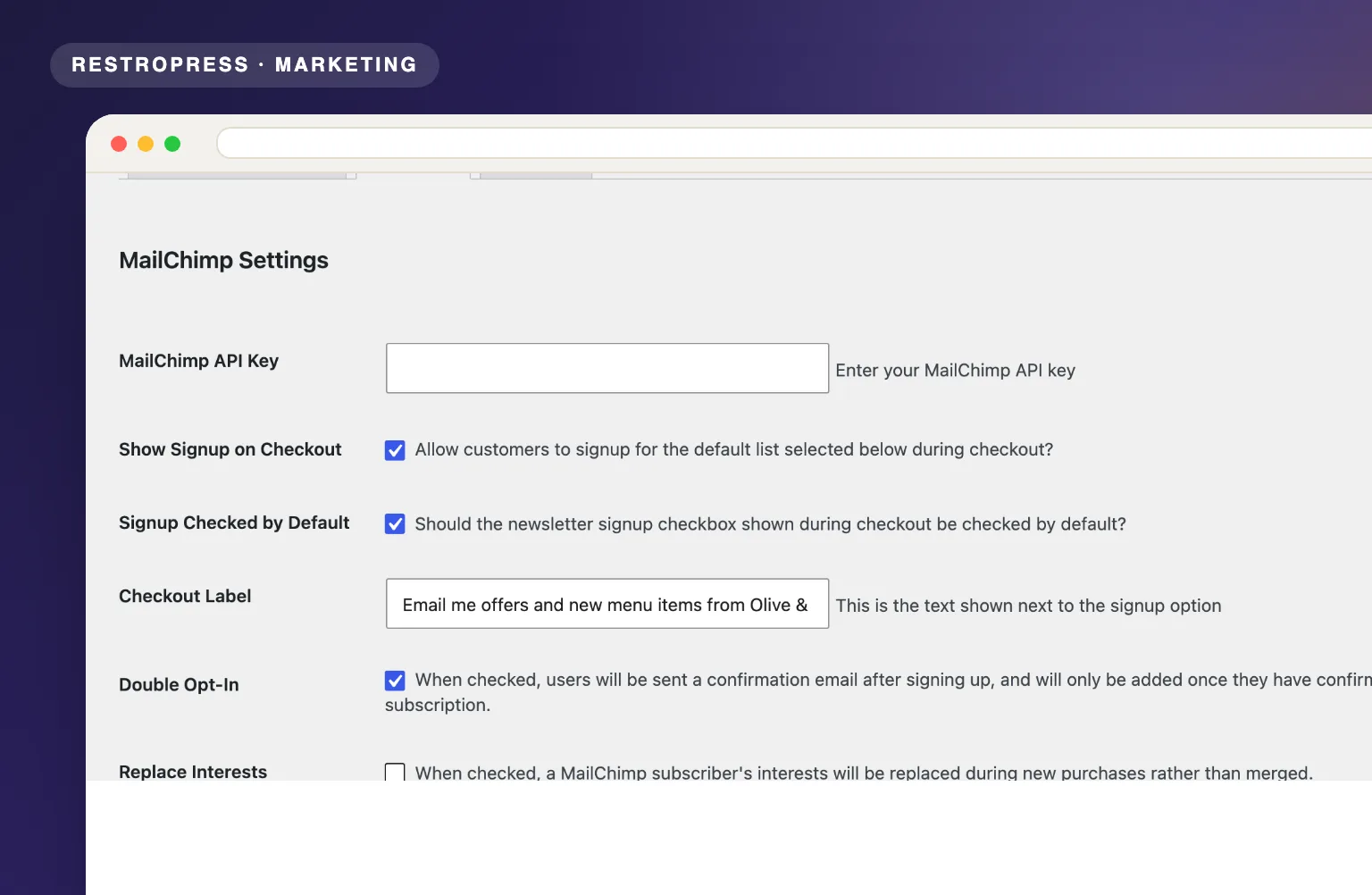
Get setup guidanceIn RestroPress, Settings, open the Mailchimp tab, paste your Mailchimp API key, tick the audiences to connect and mark one as the default list.
Turn on Show Signup on Checkout, write the checkout label, choose whether the box is checked by default, and enable double opt-in or test-mode recording if needed.
Every new subscriber's data flows into Mailchimp ready for your campaigns.
PLANS & REQUIREMENTS
MARKETING EXTENSION
Compare the complete feature list to see which plan fits the rest of your setup.
5 WEBSITES
$429/ year
15 WEBSITES
$799/ year
30 WEBSITES
$1,499/ year
BUY THIS EXTENSION ONLY
Yearly licence, cancel any time. Pick how many websites you run.
Licence key and download appear in your account right after checkout. Includes updates and support for this extension.
QUESTIONS, ANSWERED
CONTINUE EXPLORING

Automatically apply a discount when customers choose pickup at checkout. No coupon codes, no friction, just a smarter way to shift order volume.
Included in Professional, Business, AgencyView extension
Award points for eligible purchases and let customers redeem them at checkout. Give customers a reason to order from you again.
Included in Professional, Business, AgencyView extension
Keep customers and admins informed at every order stage via Twilio or Plivo, from placement to delivery, with customizable messages for each status.
Included in Starter, Professional, Business, AgencyView extensionYOUR NEXT DIRECT ORDER STARTS HERE
Explore the ordering experience, then choose the tools your team needs.

