


Automated order SMS
Customers and admins receive automatic text updates at each order status change.

Keep customers and admins informed at every order stage via Twilio or Plivo, from placement to delivery, with customizable messages for each status.
Included in Starter, Professional, Business, AgencyOnly need this one? Buy it on its own from $49 / year
 RESTROPRESS · MARKETING
WHAT SMS NOTIFICATIONS ADDS
Customers and admins receive automatic text updates at each order status change.
Configure admin notifications and customer messages independently.
Write your own SMS text for each order status in the admin panel.
Works with both major SMS providers. Custom integrations available on request.
Choose text or voice for new-order alerts: with voice, Twilio or Plivo rings the admin number and reads out your message.
Every RestroPress order status gets its own on/off switch and message, so customers hear about accepted, processing, ready, in transit, completed or cancelled orders.
Drop {ORDER_NUMBER}, {ORDER_STATUS}, {ORDER_ITEMS}, {PRICE}, {SERVICE_TYPE}, {SERVICE_DATE}, {SERVICE_TIME}, {FULLNAME}, {PHONE} or {SHOP_NAME} into any message.
Cash orders alert you at once; for online payments the new-order SMS waits until the payment is confirmed, so no texts go out for abandoned checkouts.
Send a test SMS to any number from the settings page to confirm your provider credentials before going live.
MAKE IT YOURS
SMS Notifications connects your Twilio or Plivo account to RestroPress, and after that every status change sends itself.
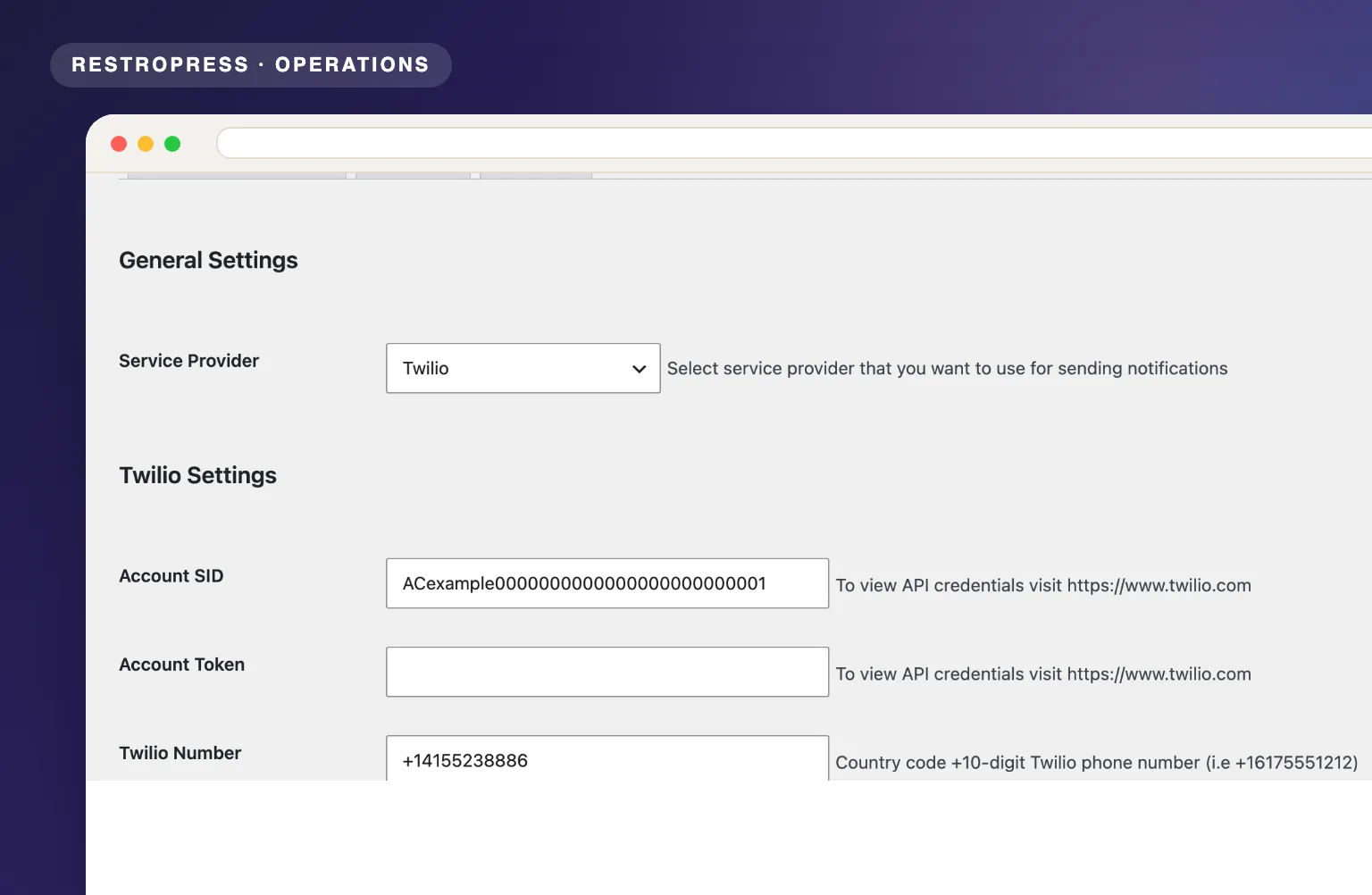
Get setup guidanceIn RestroPress, Settings, open the SMS Notification tab, pick Twilio or Plivo as the service provider and enter its account credentials and sending number.
Under Admin Settings enable admin alerts, enter the country code and admin number, and choose voice or text. Under Customer Settings tick each order status and write its SMS text, then use Test Settings to send yourself a message.
Customers and admins receive texts at each stage without any manual action.
PLANS & REQUIREMENTS
MARKETING EXTENSION
Compare the complete feature list to see which plan fits the rest of your setup.
1 WEBSITE
$199/ year
5 WEBSITES
$429/ year
15 WEBSITES
$799/ year
30 WEBSITES
$1,499/ year
BUY THIS EXTENSION ONLY
Yearly licence, cancel any time. Pick how many websites you run.
Licence key and download appear in your account right after checkout. Includes updates and support for this extension.
QUESTIONS, ANSWERED
CONTINUE EXPLORING

Automatically subscribe customers to Mailchimp at checkout, sync purchase data, and run targeted campaigns that bring them back for their next order.
Included in Professional, Business, AgencyView extension
Automatically apply a discount when customers choose pickup at checkout. No coupon codes, no friction, just a smarter way to shift order volume.
Included in Professional, Business, AgencyView extension
Award points for eligible purchases and let customers redeem them at checkout. Give customers a reason to order from you again.
Included in Professional, Business, AgencyView extensionYOUR NEXT DIRECT ORDER STARTS HERE
Explore the ordering experience, then choose the tools your team needs.

