


Date selector for delivery and pickup
Adds a date dropdown above the time selector in the delivery and pickup options, both in the service popup and on the checkout page.

Let customers place delivery and pickup orders for a future date. Adds a date selector to the RestroPress service popup and checkout, up to as many days ahead as you choose.
Free · no plan needed RESTROPRESS · ORDERING
WHAT PRE-ORDER ADDS
Adds a date dropdown above the time selector in the delivery and pickup options, both in the service popup and on the checkout page.
Set the number of days customers can order ahead. The dropdown lists that many dates starting from today, so 7 gives a full week.
Replace the default Select a delivery date and Select a pickup date text with your own wording for each service type.
The chosen date is stored on the order and shown as the service date in the admin order details, next to the service type and time, so the kitchen knows which day to prepare.
Turn the whole feature on or off with the Enable Preorder Option checkbox. When it is off, no date selector, styles or scripts are loaded.
Dates are built from the WordPress timezone and shown in the date format set under Settings > General, so they match the rest of your site.
Orders for a future date go through the standard RestroPress checkout, payment gateways and notifications, so there is no friction for customers.
MAKE IT YOURS
Pre-Order is a free extension with four settings on one screen, and the rest of the checkout stays exactly as your customers know it.
Get setup guidanceGo to RestroPress > Settings > General > Pre Order and tick Enable Preorder Option.
Enter the number of days customers may order ahead (for example 7) and, if you like, your own Delivery Date Text and Pickup Date Text. Save the settings.
A date dropdown appears with the time selector in the delivery and pickup options. The chosen date is saved on the order and shown in the admin order details.
PLANS & REQUIREMENTS
ORDERING EXTENSION
Free for every RestroPress website. Download it below, no plan needed. Paid plans add the premium extensions and priority support.
FREE EXTENSION
Download it now; enter your email at checkout and the file is saved to your RestroPress account for future updates.
QUESTIONS, ANSWERED
CONTINUE EXPLORING

Add, reorder, hide, or customize any checkout field using a drag-and-drop builder. 14+ field types, no coding required.
Included in Professional, Business, AgencyView extension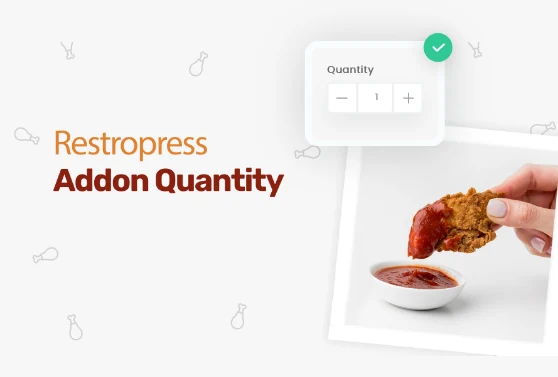
Add quantity controls to your food addons so customers can order two extra sauces, three toppings, or any other addon in the amount they actually want.
Included in Professional, Business, AgencyView extension
Add custom fees for packaging, payment surcharges, express delivery, gift wrapping, or any other service, as flat amounts or percentages, per order type.
Included in Professional, Business, AgencyView extensionYOUR NEXT DIRECT ORDER STARTS HERE
Explore the ordering experience, then choose the tools your team needs.

