


One-tap social sign-in
Customers sign in with Facebook, Google, or Twitter in a single click.

Remove signup friction with social login via Facebook, Google, and Twitter. One tap sign-in means more completed registrations and fewer abandoned checkouts.
Included in Professional, Business, AgencyOnly need this one? Buy it on its own from $49 / year
 RESTROPRESS · ORDERING
WHAT SOCIAL LOGIN ADDS
Customers sign in with Facebook, Google, or Twitter in a single click.
Integrate Facebook as a login option with easy configuration.
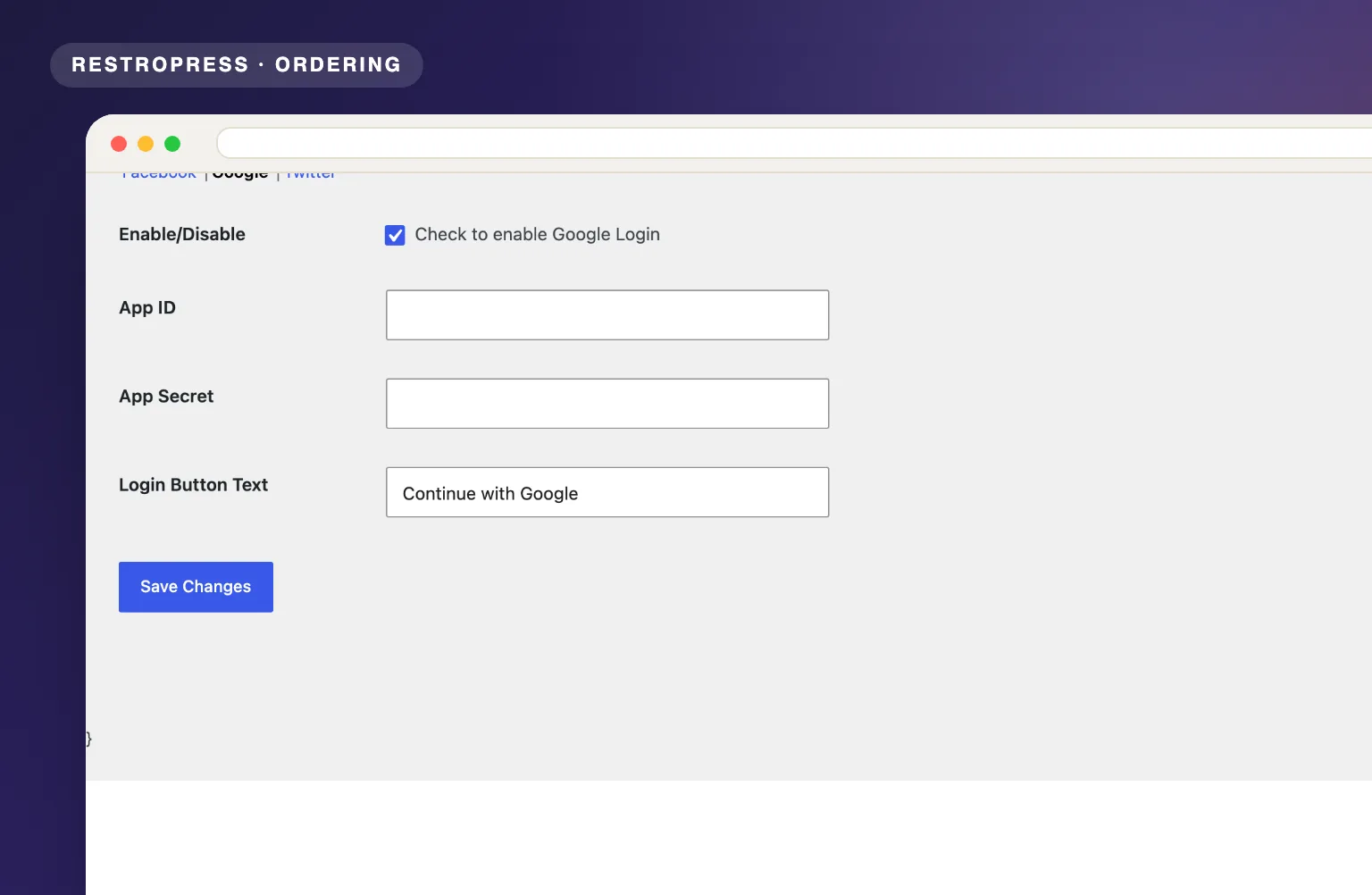
Allow customers to sign in with their Google account.
Twitter/X login support for customers who prefer that platform.
The social buttons appear above the RestroPress login and register form at checkout, and after signing in the customer is returned to the checkout to finish the order.
Each provider has its own enable switch, App ID, App Secret and login button text, so you control exactly what the Facebook, Google and Twitter buttons say.
Social Login matches the returned email to an existing account or creates a WordPress customer account automatically, so the customer never has to set or remember a site password.
MAKE IT YOURS
Social Login takes a few minutes per platform, and after that every new customer skips the registration form.
Get setup guidanceCreate an app on the Facebook, Google or Twitter developer portal and set your RestroPress checkout page URL as the redirect or callback URL.
In RestroPress, Settings, open the Social tab. Each provider has its own section (Facebook, Google, Twitter) where you enable it, paste the App ID and App Secret, and set the button text.
The social login buttons appear on the checkout page above the login and register form, and customers return to checkout signed in.
PLANS & REQUIREMENTS
ORDERING EXTENSION
Compare the complete feature list to see which plan fits the rest of your setup.
5 WEBSITES
$429/ year
15 WEBSITES
$799/ year
30 WEBSITES
$1,499/ year
BUY THIS EXTENSION ONLY
One-year licence. Pick how many websites you run.
Licence key and download appear in your account right after checkout. Includes updates and support for this extension.
QUESTIONS, ANSWERED
CONTINUE EXPLORING

Add, reorder, hide, or customize any checkout field using a drag-and-drop builder. 14+ field types, no coding required.
Included in Professional, Business, AgencyView extension
Add quantity controls to your food addons so customers can order two extra sauces, three toppings, or any other addon in the amount they actually want.
Included in Professional, Business, AgencyView extension
Add custom fees for packaging, payment surcharges, express delivery, gift wrapping, or any other service, as flat amounts or percentages, per order type.
Included in Professional, Business, AgencyView extensionYOUR NEXT DIRECT ORDER STARTS HERE
Explore the ordering experience, then choose the tools your team needs.

