


Preset tip options
Enter a comma-separated list of values, such as 10, 15, 20, and they appear as tip buttons at checkout.

Add preset tip percentages or custom amounts to checkout, reward your staff, and grow average order revenue with zero coding required.
Included in Starter, Professional, Business, AgencyOnly need this one? Buy it on its own from $49 / year
 RESTROPRESS · ORDERING
WHAT TIPS ADDS
Enter a comma-separated list of values, such as 10, 15, 20, and they appear as tip buttons at checkout.
Choose whether tips are calculated as a percentage of the cart subtotal or as a fixed sum in your store currency.
Show presets only, a custom amount box only, or both. Customers can type any amount, including decimals, and add it with one click.
Turn the tip field on or off from settings without touching any code.
Set the heading, the supporting message, the label used for the tip line in the cart and the text of the remove-tip button.
The chosen tip is added as its own line in the checkout order summary and the total refreshes without a page reload. Customers can remove it again at any time.
Tick Include tax on Tips and the RestroPress tax rate is added on top of the tip amount.
Show a Tips column in the admin order history list and use the {tips} email tag to print the tip amount in your order emails.
MAKE IT YOURS
Tips goes live in minutes, and from then on every checkout gives customers a simple way to thank your team.
Get setup guidanceGo to RestroPress > Settings > General > Checkout Options and tick Enable Tips on Checkout.
Choose Flat Amount or Cart Percentage, pick Predefined Tips Values, Custom Tips Entry or Both, enter the predefined values separated by commas, and set the heading, description, cart label and remove-tip label.
The tip buttons and the custom amount box appear on the checkout page. The tip is added to the order total as its own line, and customers can remove it with one click.
PLANS & REQUIREMENTS
ORDERING EXTENSION
Compare the complete feature list to see which plan fits the rest of your setup.
1 WEBSITE
$199/ year
5 WEBSITES
$429/ year
15 WEBSITES
$799/ year
30 WEBSITES
$1,499/ year
BUY THIS EXTENSION ONLY
Yearly licence, cancel any time. Pick how many websites you run.
Licence key and download appear in your account right after checkout. Includes updates and support for this extension.
QUESTIONS, ANSWERED
CONTINUE EXPLORING

Add, reorder, hide, or customize any checkout field using a drag-and-drop builder. 14+ field types, no coding required.
Included in Professional, Business, AgencyView extension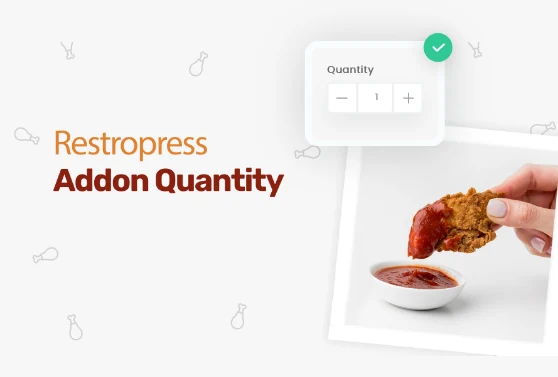
Add quantity controls to your food addons so customers can order two extra sauces, three toppings, or any other addon in the amount they actually want.
Included in Professional, Business, AgencyView extension
Add custom fees for packaging, payment surcharges, express delivery, gift wrapping, or any other service, as flat amounts or percentages, per order type.
Included in Professional, Business, AgencyView extensionYOUR NEXT DIRECT ORDER STARTS HERE
Explore the ordering experience, then choose the tools your team needs.

