


WhatsApp order button
An Order on WhatsApp button appears on your checkout page below the purchase form. Customers tap it and WhatsApp opens with the order message ready to send.

Customers build their cart on your site, then send the whole order to your WhatsApp number as a pre-written chat message. Run it beside your normal checkout, or make WhatsApp the only way to order.
Included in Professional, Business, AgencyOnly need this one? Buy it on its own from $49 / year
 RESTROPRESS · ORDERING
WHAT WHATSAPP ORDER ADDS
An Order on WhatsApp button appears on your checkout page below the purchase form. Customers tap it and WhatsApp opens with the order message ready to send.
Every item with quantity and price, selected addons, special instructions, subtotal, tax, discount and the order total are formatted into the message automatically.
The message carries the customer's name and phone, the order date, the chosen service type, the requested delivery or pickup time and, for delivery, the address entered at checkout.
On phones and tablets the button opens the WhatsApp app; on desktop it opens WhatsApp Web. Customers install nothing new.
Choose Both Checkout and WhatsApp Order, or WhatsApp Order Only, which hides the payment form and purchase button so every order arrives as a chat.
Set the button label to match your tone, such as Order on WhatsApp or Send my order.
Name and phone are filled from the customer's account when they are logged in, so repeat customers just tap and send.
MAKE IT YOURS
WhatsApp Order needs just your business number, then every order can arrive as a message you can reply to.
Get setup guidanceUse your WhatsApp Business or personal number, written with the country code, and make sure someone on the team watches that chat during service.
Go to RestroPress > Settings > General > whatsapp, tick Enable, enter the WhatsApp number and the button text, then choose Both Checkout and WhatsApp Order or WhatsApp Order Only.
They fill their cart, tap the button at checkout, review the pre-written message in WhatsApp and send it. It lands in your WhatsApp chat, ready for your reply.
PLANS & REQUIREMENTS
ORDERING EXTENSION
Compare the complete feature list to see which plan fits the rest of your setup.
5 WEBSITES
$429/ year
15 WEBSITES
$799/ year
30 WEBSITES
$1,499/ year
BUY THIS EXTENSION ONLY
One-year licence. Pick how many websites you run.
Licence key and download appear in your account right after checkout. Includes updates and support for this extension.
QUESTIONS, ANSWERED
CONTINUE EXPLORING

Add, reorder, hide, or customize any checkout field using a drag-and-drop builder. 14+ field types, no coding required.
Included in Professional, Business, AgencyView extension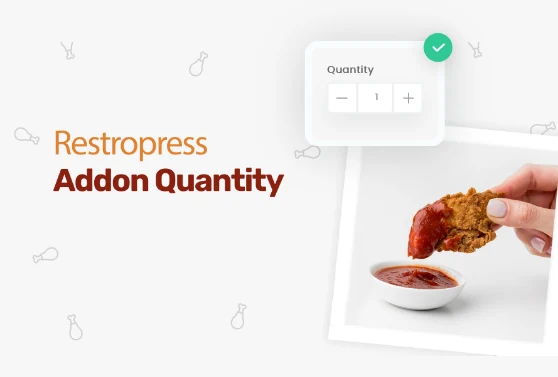
Add quantity controls to your food addons so customers can order two extra sauces, three toppings, or any other addon in the amount they actually want.
Included in Professional, Business, AgencyView extension
Add custom fees for packaging, payment surcharges, express delivery, gift wrapping, or any other service, as flat amounts or percentages, per order type.
Included in Professional, Business, AgencyView extensionYOUR NEXT DIRECT ORDER STARTS HERE
Explore the ordering experience, then choose the tools your team needs.

