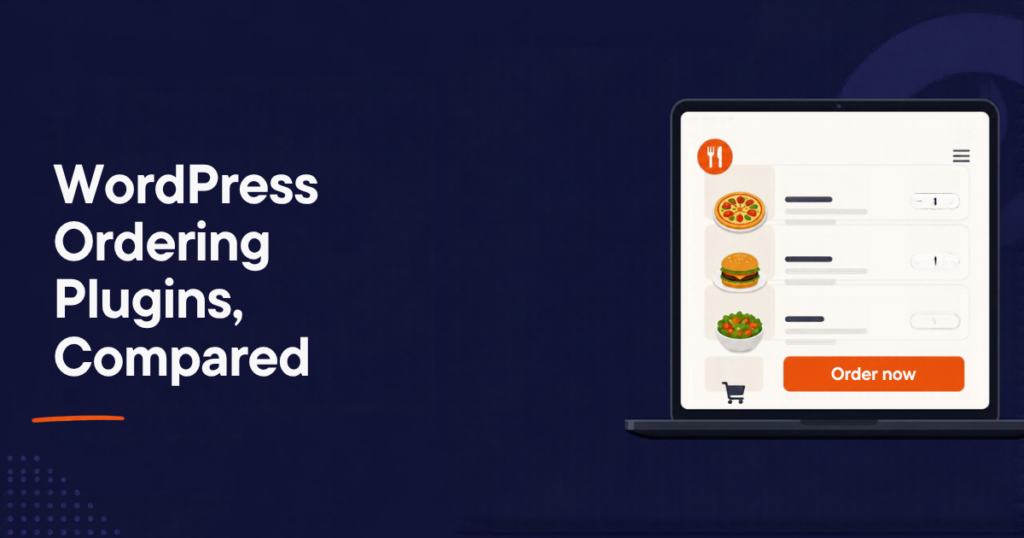
Restaurants that take orders on their own website keep the 15 to 30 percent that marketplaces charge per order. On WordPress you have several ways to do it, and they are not equal: some depend on WooCommerce, some depend on a hosted service that is closing, and some are built for restaurants from the ground up. This guide ranks the main options for 2026 and shows, feature by feature, what each one gives you.
We make RestroPress, so we have put our reasoning on the table rather than asking you to trust a score. The comparison matrix says “Pro add-on” or “via WooCommerce” wherever that is the honest answer.
The best WordPress restaurant ordering plugins for 2026 are:
- RestroPress: best overall for restaurants that only sell food. Free core, no WooCommerce, pickup, delivery and dine-in with kitchen apps and POS.
- Orderable: best if you already run a WooCommerce shop and want to add food ordering to it.
- WPCafe: best for cafes that want menu display, table booking and ordering in one Woo-based plugin.
- GloriaFood plugin: fastest hosted setup, but the service shuts down on 30 April 2027.
- Plain WooCommerce: maximum flexibility, maximum assembly required.
Feature comparison at a glance
Checked against each vendor’s public pages and WordPress.org listings on 16 October 2026. “Pro add-on” means the feature is sold separately by that vendor.
| Feature | RestroPress | Orderable | WPCafe | GloriaFood plugin |
|---|---|---|---|---|
| Works without WooCommerce | Yes | No, requires WooCommerce | No, requires WooCommerce | Yes (hosted service) |
| Free core takes pickup and delivery orders | Yes | Yes | Yes | Yes, until April 2027 |
| Commission per order | None | None | None | None |
| Restaurant order statuses built in (accepted, preparing, ready, out for delivery) | Yes | Uses WooCommerce order statuses | Uses WooCommerce order statuses | Yes |
| Store hours, preparation time, time slots | Yes (core + extension) | Pro add-on | Pro add-on | Yes |
| Delivery zones by map or postcode | Yes (extension) | Pro add-on | Pro add-on | Yes |
| Dine-in QR ordering with waiter call | Yes (Dine-In) | Pro add-on (table ordering) | Pro add-on | Yes |
| Kitchen display screen | Yes (KDS app) | Not that we could find | Not that we could find | No |
| Order tracking app for staff | Yes (Android and iOS) | Not that we could find | Not that we could find | Yes |
| Automatic ticket printing app | Yes | Not that we could find | Not that we could find | Printer add-on |
| Driver app for your own delivery drivers | Yes | No | No | No |
| Branded customer app (white label) | Yes | No | No | Paid add-on |
| Point of sale for walk-in orders | Yes (RestroPress POS) | No | No | No |
| Multiple locations from one site | Yes (extension) | Check vendor | Check vendor | Per-restaurant accounts |
| Payment gateways | Stripe, PayPal, Square, Mollie, Authorize.net, Paystack, Razorpay, PhonePe, Paytm and more | Any WooCommerce gateway | Any WooCommerce gateway | Card payments via their service |
| Your menu and orders stay in your database | Yes | Yes | Yes | No, hosted |
The pattern is simple. The WooCommerce plugins give you Woo’s enormous gateway list and inherit Woo’s product model, which was designed for parcels. RestroPress gives up the thousand-gateway list in exchange for everything a restaurant needs from the plugin itself: statuses, service types, apps and a POS that all speak the same order data.
The plugins in detail
1. RestroPress
Best for: restaurants, takeaways and cafes that sell food, not merchandise, and want ordering, kitchen and apps from one vendor.
Price: the core plugin is free. Plans that bundle the extensions and apps start at $159 a year for one site and go up to agency plans for 30 sites. No commission. 14-day refund. See pricing.
RestroPress runs its own menu, cart, checkout and order pipeline inside WordPress. Pickup and delivery work from the free plugin with PayPal or cash on collection. Everything else, from delivery zones to dine-in, is an extension that plugs into the same order flow, which is why the kitchen display, the order tracking app and the POS all see the same order a second after the customer places it.
Why we love it:
- No WooCommerce. No shipping classes, stock settings or e-commerce checkout to switch off. A menu is a menu.
- Service types and statuses are built in. Pickup, delivery and dine-in with accepted, preparing, ready and out-for-delivery states, so staff and customers see the same progress.
- The kitchen is covered. Kitchen Display on a screen, Order Tracking on a phone, automatic ticket printing, and a driver app for your own riders. No other WordPress plugin ships this set.
- Dine-in done properly. QR codes per table and a waiter call button; see how table ordering works.
- Apps and POS. A white-label customer app in your brand and a POS for walk-ins, both on the same orders.
- Regional payments. Stripe, PayPal, Square and Mollie for the US, UK and EU; Razorpay, PhonePe and Paytm for India; Paystack for Africa.
Take note: gateways outside that list are not available, because there is no WooCommerce underneath. The free core covers pickup and delivery; dine-in, delivery zones and the apps are paid.
Compare RestroPress plans or try the live demo.
2. Orderable
Best for: restaurants that already sell through WooCommerce and want ordering added to the shop they have.
Price: free core on WordPress.org; the Pro add-on is a paid annual licence (see their site for current pricing).
Orderable turns WooCommerce products into a restaurant menu with a clean ordering layout and is well regarded by its users. Because it sits on WooCommerce you can use any Woo payment gateway, and if you already sell gift cards or merch the two live together.
Why we like it:
- Any WooCommerce payment gateway.
- Tidy menu layout and checkout flow.
- Time slots, tips, table ordering and delivery zones in the Pro tier.
Take note: it requires WooCommerce, so you inherit Woo’s product and checkout model. Time slots, delivery zones and table ordering are Pro features. We could not find a kitchen display, staff app, driver app or POS from the vendor.
3. WPCafe
Best for: cafes that want a menu display, table reservations and online ordering in one Woo-based package.
Price: free core; paid Pro add-on billed annually.
WPCafe is actively maintained and widely used. Its strength is breadth on the front of house: menus, reservations and ordering with ready-made layouts.
Why we like it:
- Menu, booking and ordering in one plugin.
- Actively maintained with a large user base.
- Any WooCommerce gateway.
Take note: requires WooCommerce. Delivery scheduling and QR ordering are Pro features. We could not find a kitchen display, staff app or POS from the vendor.
4. GloriaFood plugin
Best for: nobody new, as of this year.
Price: free ordering with paid add-ons, until the service ends.
GloriaFood was the easiest way to put ordering on a site, because the menu and orders live on their servers and the plugin only embeds a widget. That is also why it is the hardest to leave, and Oracle has set an end-of-life date of 30 April 2027.
Take note: if you are on it, export your menu and customers now. Our migration guide covers the steps.
5. Plain WooCommerce
Best for: developers building something custom.
Price: free, plus whatever add-ons you assemble.
WooCommerce can sell food, but it has no idea what a table, a preparation time or a delivery zone is. Every one of those becomes a plugin or custom code, and the kitchen still gets orders in a WooCommerce admin screen.
Take note: fine for a pilot; expensive to maintain as a restaurant system.
What it costs per order
None of the plugins charges commission. A single-location restaurant doing 300 online orders a month at a $30 average pays a marketplace about $1,800 a month at 20 percent commission (see what delivery apps really charge). Any of the plugin routes costs less than that per year, plus your card processor’s usual 3 percent or so.
Frequently asked questions
Can I use RestroPress and WooCommerce on the same site?
Yes. RestroPress does not depend on WooCommerce and does not conflict with it. Restaurants that also sell merchandise sometimes run both.
Which plugin is easiest to set up?
For a food-only site, RestroPress, because the setup wizard creates the ordering pages and there is no e-commerce stack to configure first. Our step-by-step setup guide takes about an afternoon.
What happens to my orders if the plugin vendor shuts down?
With a self-hosted plugin your menu, orders and customers stay in your WordPress database, so you can keep running on the last version while you migrate. With a hosted service they are on the vendor’s servers, which is exactly the GloriaFood problem.
The verdict
- RestroPress if you sell food and want ordering, kitchen apps, dine-in and POS working together without WooCommerce. See plans.
- Orderable if WooCommerce is already your shop.
- WPCafe if reservations and menu display matter as much as ordering.