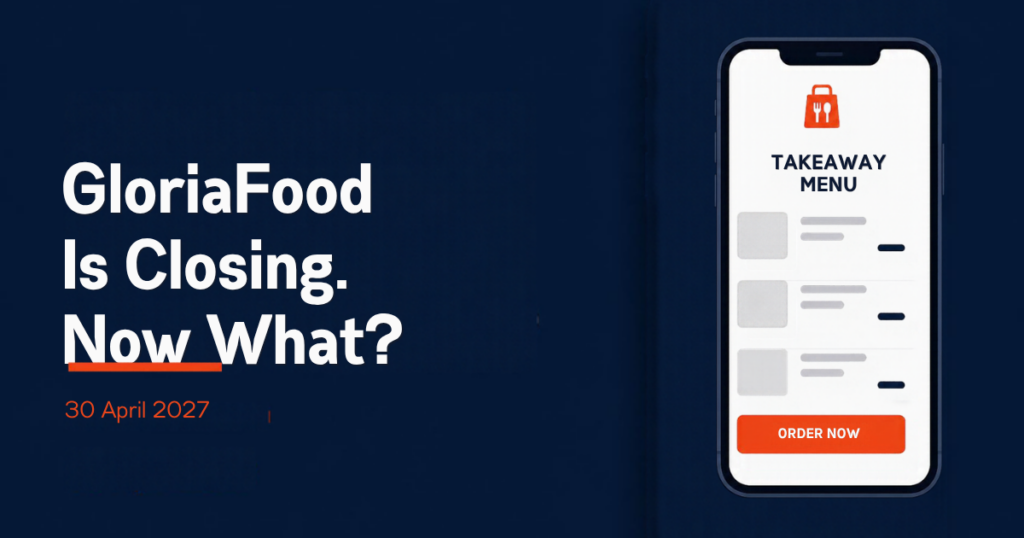
GloriaFood is shutting down. Oracle, which bought the free restaurant ordering platform in 2021, has put a notice on the GloriaFood website saying the service “will reach end of life on April 30, 2027” and that it does not offer a direct replacement (source: gloriafood.com). If your restaurant takes pickup or delivery orders through GloriaFood, you have a fixed deadline to find a GloriaFood alternative, move your menu, and get your customers ordering somewhere new. This guide walks through what is actually going away, what to export, and how to move to an ordering site you own.
What the GloriaFood shutdown means for your restaurant
On 30 April 2027 the GloriaFood ordering widget, the hosted menu link, the admin panel and the order-taking app stop working. Oracle says it will keep supporting existing customers until that date, but it has not announced any data-archiving service beyond it. Third-party write-ups from OlaClick and Menuro say the same thing: anything you have not exported before the deadline should be treated as gone (OlaClick, Menuro).
In practical terms you lose:
- Your menu as it is set up in GloriaFood: categories, items, photos, prices, modifiers.
- Your order history and the customer details attached to it.
- The “See MENU & Order” button on your website and the gloriafood.com menu link printed on flyers, Google Business Profile, Instagram and anywhere else.
- Delivery zones, opening hours, promotions and the restaurant app configuration.
Six months is plenty of time if you start now. It is very little time if you leave it until March 2027, because every restaurant on the platform will be trying to migrate at once and the agencies that help with this will be booked up.
Step 1: Export everything from GloriaFood before anything else
Do this first, even if you have not picked a new system. From the GloriaFood admin panel:
- Export your menu. GloriaFood lets you download the menu; if the export option is not available to you, copy every category, item name, description, price and modifier group into a spreadsheet. Download your item photos at full size.
- Export your orders and customers. Order reports can be exported for a date range. Your repeat customers’ names, phone numbers and emails are the most valuable thing on the platform, because they are the people you will need to tell about the new ordering link.
- Write down your settings: delivery zones and fees, minimum order, opening hours per service, pickup and delivery lead times, any promotions, payment settings, and tax rules.
- List every place your GloriaFood link appears: website buttons, Google Business Profile “Order online” link, social bios, printed menus, table tents, receipts.
Keep this folder somewhere safe. Whatever you move to next, this is the raw material.
Step 2: Decide between a marketplace, another hosted platform, or your own site
There are three broad directions for restaurants leaving GloriaFood.
Delivery marketplaces
Uber Eats, DoorDash, Just Eat and Deliveroo will happily take your orders, but they charge a percentage of every one. Uber Eats publishes US marketplace fees of 20%, 25% or 30% depending on plan, plus a 7% to 10% pickup fee (Uber Eats pricing). That is fine for finding new customers. It is a poor home for the regulars who already order from you direct through GloriaFood.
Another hosted ordering platform
Plenty of companies are courting GloriaFood restaurants right now with free or low-cost hosted ordering pages. Some are good. The risk is the one you have just lived through: the platform owns the menu, the customer list and the link, and if it changes pricing or shuts down you start again. Before signing up, check whether you can export your data, whether you can use your own domain, and what the per-order or monthly fee is after any introductory period.
Ordering on your own WordPress website
This is the option we recommend, and it is what RestroPress is built for. The ordering system runs as a plugin on your own WordPress site, so the menu, the customer accounts and the order history live in your database on your hosting. There is no order commission and no per-order fee; the free RestroPress plugin on WordPress.org includes pickup, delivery and dine-in order types, a menu editor with add-ons, scheduled orders, customer accounts with reorder, and PayPal, Stripe and cash-on-delivery payments. Paid plans add delivery zones, store timings, an order tracking app, a kitchen display and QR dine-in ordering; see the RestroPress pricing page for what each plan includes.
The honest trade-off: you need a WordPress site and hosting, and you (or an agency) are responsible for keeping it updated. If you already have a WordPress website, which most restaurants that used the GloriaFood widget do, that is largely solved.
Step 3: Migrate from GloriaFood to RestroPress
Here is the sequence we use when moving a GloriaFood restaurant to its own site. Most single-location restaurants can do it in a weekend.
Install and import the menu
- Install RestroPress from the WordPress plugin directory and run the setup wizard. Choose which order types you offer (pickup, delivery, dine-in).
- Import your menu. RestroPress supports CSV import, and the current version can also read a menu from a PDF, a photo or a spreadsheet and present it for review before publishing, which is useful if your GloriaFood export is messy. Check every price and modifier against your spreadsheet.
- Upload your item photos and assign them. Photos make a measurable difference to order value, so do not skip this.
Recreate your settings
- Opening hours, pickup and delivery lead times, and cut-off times: these live in the Store Timings & Delivery Cutoff extension, which also handles breaks and holidays.
- Delivery areas and fees: the Delivery Zone and Fees extension lets you charge by radius, postcode or a drawn map area, which maps directly onto how GloriaFood zones are set up.
- Payments: connect your own Stripe or PayPal account. Money goes straight to you.
- Notifications: email is built in; SMS and WhatsApp alerts are extensions.
Test, then switch the links
- Place test orders for every order type, on a phone, as a guest and as a logged-in customer. Check the kitchen receives them (email, the Order Tracking app, or a printer).
- Replace the GloriaFood button on your website with a link to your new menu page. Update the Google Business Profile order link, social bios and any QR codes.
- Keep GloriaFood live for one or two more weeks with a note on its menu pointing to the new link, so stragglers find their way across.
Tell your customers
Use the customer export from Step 1. Send one email and one SMS saying the ordering link has changed, with the new URL and a small incentive to try it (free delivery on the first order, or a loyalty bonus if you use the Rewards extension). Put a card in every bag for a month. The goal is that by April 2027 nobody is still typing the old GloriaFood link.
What to do if you are not on WordPress
If your website is on Wix, Squarespace or a page builder that does not run WordPress, you have two options. You can add a WordPress site on a subdomain such as order.yourrestaurant.com and link to it from your main site, which keeps your existing site untouched. Or you can rebuild the whole site on WordPress, which is more work but gives you one place to manage everything. Either way the ordering site is yours. If you want help, the RestroPress documentation covers installation and every extension, and we can recommend agencies that do GloriaFood migrations.
A checklist to pin on the office wall
- Export menu, photos, orders and customers from GloriaFood. Done by: ________
- Choose the new system and set it up on your own domain.
- Recreate hours, zones, fees, payments and notifications.
- Test every order type on a phone.
- Switch every link and QR code; list them so none are missed.
- Email and text your customers with the new link.
- Run both systems in parallel for two weeks, then retire GloriaFood.
- Hard deadline: 30 April 2027.
Frequently asked questions
Is GloriaFood really shutting down, or is this a rumour?
It is confirmed by the company itself. The notice on the GloriaFood homepage states the service reaches end of life on April 30, 2027 and that Oracle does not offer a direct replacement. The vendor blogs repeating the date are consistent with that notice.
Can I import my GloriaFood menu into RestroPress automatically?
There is no one-click GloriaFood connector, but RestroPress accepts CSV imports and can read a menu from a PDF, photo or spreadsheet for you to review before publishing. Export from GloriaFood, tidy the spreadsheet, import, then check prices and modifiers. Budget an afternoon for a typical menu.
Will I lose my Google ranking when I change the ordering link?
Your GloriaFood menu link was on gloriafood.com, so it was never adding to your own site’s ranking. Moving ordering onto your own domain tends to help, because the menu pages, reviews and ordering traffic now all point at a site you control. Just make sure every old link is updated so customers do not hit a dead page after April 2027.