


All major debit and credit cards
Accept Visa, Mastercard, Amex, Discover and more through Square's card fields, loaded on your own checkout page.

Take card, Google Pay and Apple Pay payments through Square's secure card fields on your own checkout, with a sandbox mode for testing and fast 1-2 day deposits. Available wherever Square operates, including the US, Canada, UK, Ireland, France, Spain, Australia and Japan.
Free · no plan needed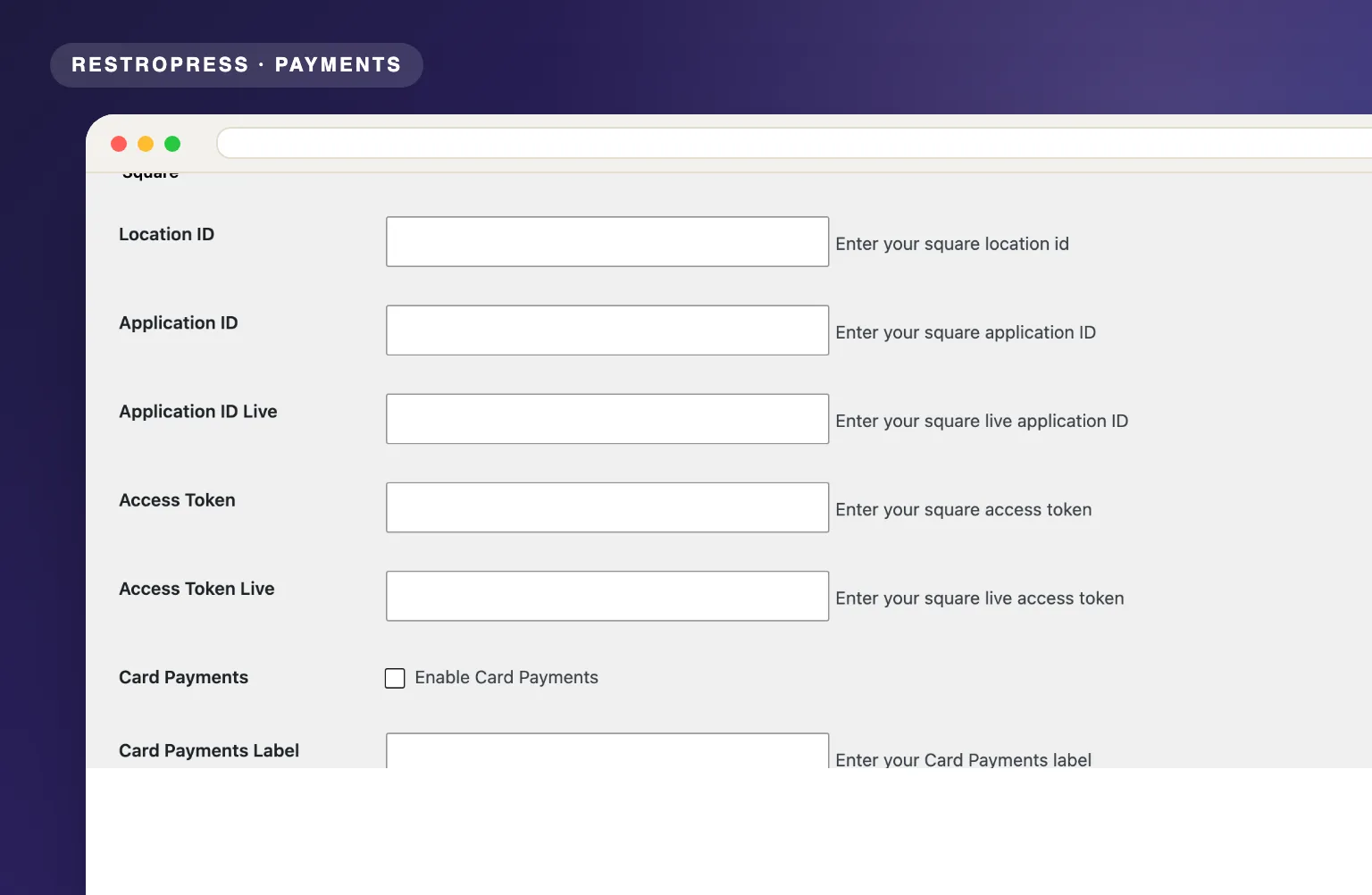 RESTROPRESS · PAYMENTS
WHAT SQUARE PAYMENT GATEWAY ADDS
Accept Visa, Mastercard, Amex, Discover and more through Square's card fields, loaded on your own checkout page.
Switch each one on in the settings and it appears as its own payment option at checkout, with a label you choose.
Square hosts the card fields and tokenises the card in the browser, so card numbers never reach your server. No PCI or security fees charged to you.
Enter your sandbox Application ID and Access Token next to the live ones. RestroPress test mode flips the gateway to Square's sandbox.
Square charges and completes the payment in one step. The order is only marked paid once Square returns COMPLETED, and the Square payment ID, receipt number and order ID are stored on it.
Funds are deposited by Square within 1-2 business days.
Transparent per-transaction pricing from Square. No setup fees, no monthly charges, and the extension is free.
MAKE IT YOURS
Square Payment Gateway connects your Square account to RestroPress in four steps, and it is free for every site.
Get setup guidanceSign up at squareup.com, open the Developer Dashboard and create an application. Note your Location ID plus the sandbox and production Application ID and Access Token.
Under Payment Gateways, Square, enter the Location ID, Application ID, Access Token, Application ID Live and Access Token Live.
Tick Card Payments, Google Pay and Apple Pay as needed and set the label for each, then enable them in the RestroPress gateways list.
With RestroPress test mode on, payments run against Square's sandbox. Turn it off and your live credentials take over. Funds hit your bank account in 1-2 days.
PLANS & REQUIREMENTS
PAYMENTS EXTENSION
Free for every RestroPress website. Download it below, no plan needed. Paid plans add the premium extensions and priority support.
FREE EXTENSION
Download it now; enter your email at checkout and the file is saved to your RestroPress account for future updates.
QUESTIONS, ANSWERED
CONTINUE EXPLORING
Connect your Authorize.net merchant account to RestroPress and start accepting Visa, Mastercard, and all major cards directly on your site with full PCI compliance.
Free · no plan neededView extension
Process credit card payments through your Braintree account with vault storage, immediate settlement, and SSL-backed encryption built for high-volume food ordering.
Free · no plan neededView extension
Connect Mollie to RestroPress and let customers pay via iDEAL, Bancontact, SEPA, Apple Pay, PayPal, credit cards, and more with no gateway or startup fees.
Free · no plan neededView extensionYOUR NEXT DIRECT ORDER STARTS HERE
Explore the ordering experience, then choose the tools your team needs.

