


All major credit and debit cards
Visa, Mastercard, Amex, Discover, JCB and every card network Stripe supports, entered on your own checkout page.

Customers pay by card on your own checkout through the Stripe Payment Element, or on Stripe's hosted page if you prefer. Test mode, signed webhooks and refunds from the RestroPress order screen are built in, and Stripe operates in 46+ countries.
Free · no plan needed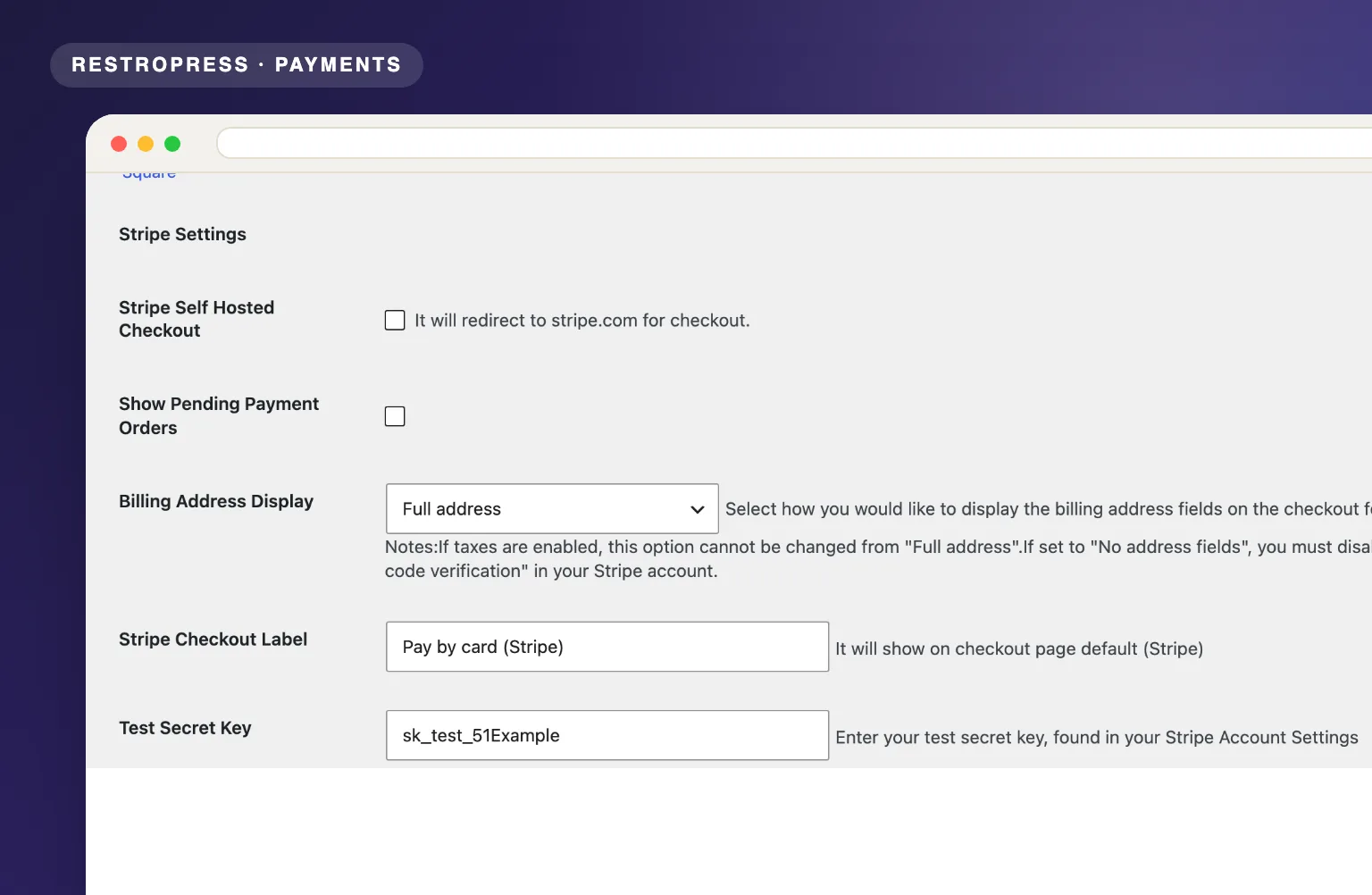 RESTROPRESS · PAYMENTS
WHAT STRIPE PAYMENT GATEWAY PRO ADDS
Visa, Mastercard, Amex, Discover, JCB and every card network Stripe supports, entered on your own checkout page.
Use the Stripe Payment Element on your page, or tick Stripe Self Hosted Checkout to send customers to stripe.com and straight back to your receipt.
The card form is a Stripe iframe over HTTPS. Card numbers go straight to Stripe, and 3-D Secure runs automatically when the bank asks for it.
Set an order to Refunded, tick Refund Charge in Stripe, and the plugin refunds the payment and notes the refund ID on the order.
RestroPress test mode switches to your test keys. The webhook listener verifies every event with your Webhook Signing Secret and keeps order status in step with Stripe.
Sell to customers anywhere Stripe operates. The plugin adds no country or currency restriction of its own. Check stripe.com for the full list.
Stripe's standard US rate is 2.9% + 30c per card payment; other countries differ. No monthly fee from Stripe, and the extension is free.
MAKE IT YOURS
Stripe Payment Gateway Pro takes your Stripe API keys and webhook secret and turns your checkout into an on-site card form, with a hosted-checkout option, test mode and refunds from the order screen.
Get setup guidanceSign up at stripe.com and copy your test and live API keys from the Developers area. SSL must be active on your site.
Under RestroPress Settings, Payment Gateways, Stripe, fill in the Test Secret Key, Test Publishable Key, Live Secret Key and Live Publishable Key, then enable Stripe in the gateways list.
In the Stripe dashboard add a webhook endpoint for the URL shown in the settings (index.php?rpress-listener=stripe) and paste its signing secret into Webhook Signing Secret.
Turn on RestroPress test mode to pay with Stripe test cards. Switch it off to take live payments on-site, or tick Stripe Self Hosted Checkout to use Stripe's hosted page instead.
PLANS & REQUIREMENTS
PAYMENTS EXTENSION
Free for every RestroPress website. Download it below, no plan needed. Paid plans add the premium extensions and priority support.
FREE EXTENSION
Download it now; enter your email at checkout and the file is saved to your RestroPress account for future updates.
QUESTIONS, ANSWERED
CONTINUE EXPLORING

Connect your Authorize.net merchant account to RestroPress and start accepting Visa, Mastercard, and all major cards directly on your site with full PCI compliance.
Free · no plan neededView extension
Process credit card payments through your Braintree account with vault storage, immediate settlement, and SSL-backed encryption built for high-volume food ordering.
Free · no plan neededView extension
Connect Mollie to RestroPress and let customers pay via iDEAL, Bancontact, SEPA, Apple Pay, PayPal, credit cards, and more with no gateway or startup fees.
Free · no plan neededView extensionYOUR NEXT DIRECT ORDER STARTS HERE
Explore the ordering experience, then choose the tools your team needs.

