


Card payments on a hosted page
When the customer clicks Place Order, RestroPress sends them to the TakePayments hosted payment page. Card details are entered there, never on your server.

Connect your TakePayments merchant account to RestroPress and accept card payments on the TakePayments hosted payment page, with 3D Secure handled by TakePayments and orders confirmed on return.
Free · no plan needed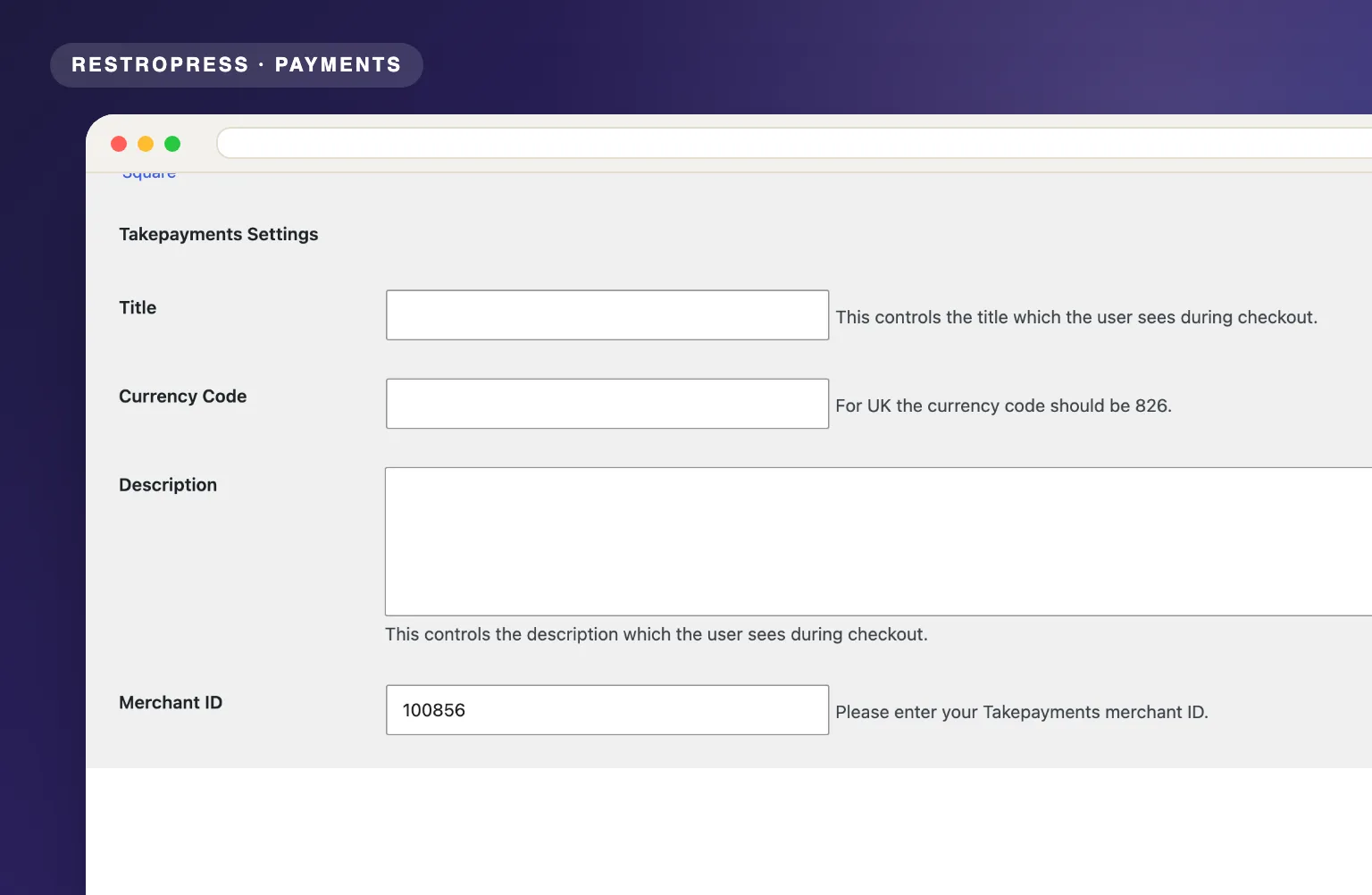 RESTROPRESS · PAYMENTS
WHAT TAKEPAYMENTS ADDS
When the customer clicks Place Order, RestroPress sends them to the TakePayments hosted payment page. Card details are entered there, never on your server.
Cardholder authentication runs on the hosted page as part of the TakePayments flow, so there is nothing extra to configure in RestroPress.
Every request is signed with a SHA-512 hash of the order data and your Signature Key, using the TakePayments hosted-form SDK.
Captured payments return the customer to your site and mark the order paid, with the TakePayments transaction ID and cross reference saved on the order. Declined or interrupted payments are recorded as failed or abandoned and the customer is sent back to checkout.
Set the Title and Description customers see at checkout and the numeric ISO Currency Code to charge in (826 for GBP by default).
MAKE IT YOURS
TakePayments connects your merchant account to RestroPress in three steps, with no plan required. Customers pay on the TakePayments hosted page and return to your site.
Get setup guidanceVisit takepayments.com to sign up for an online merchant account, then collect your Merchant ID and Signature Key from TakePayments.
Go to RestroPress, Settings, Payment Gateways, Takepayments and enter your Merchant ID, Signature Key and Currency Code (826 for GBP), plus the Title and Description shown at checkout. Use a test merchant account from TakePayments to try it first.
Customers are sent to the TakePayments hosted payment page, pay by card with 3D Secure where required, and return to your site where the order is marked paid.
PLANS & REQUIREMENTS
PAYMENTS EXTENSION
Free for every RestroPress website. Download it below, no plan needed. Paid plans add the premium extensions and priority support.
FREE EXTENSION
Download it now; enter your email at checkout and the file is saved to your RestroPress account for future updates.
QUESTIONS, ANSWERED
CONTINUE EXPLORING
Connect your Authorize.net merchant account to RestroPress and start accepting Visa, Mastercard, and all major cards directly on your site with full PCI compliance.
Free · no plan neededView extension
Process credit card payments through your Braintree account with vault storage, immediate settlement, and SSL-backed encryption built for high-volume food ordering.
Free · no plan neededView extension
Connect Mollie to RestroPress and let customers pay via iDEAL, Bancontact, SEPA, Apple Pay, PayPal, credit cards, and more with no gateway or startup fees.
Free · no plan neededView extensionYOUR NEXT DIRECT ORDER STARTS HERE
Explore the ordering experience, then choose the tools your team needs.

